Personally, I use the taskbar on the top because it just feels right on my standing desk, where I’ve got an iPad beneath my monitors, and I try to keep the screens roughly parallel with my eyes for ergonomics. Looking at the taskbar, as I need to do for triple screens and constant multitasking, is a much bigger part of my day than for a lot of people.

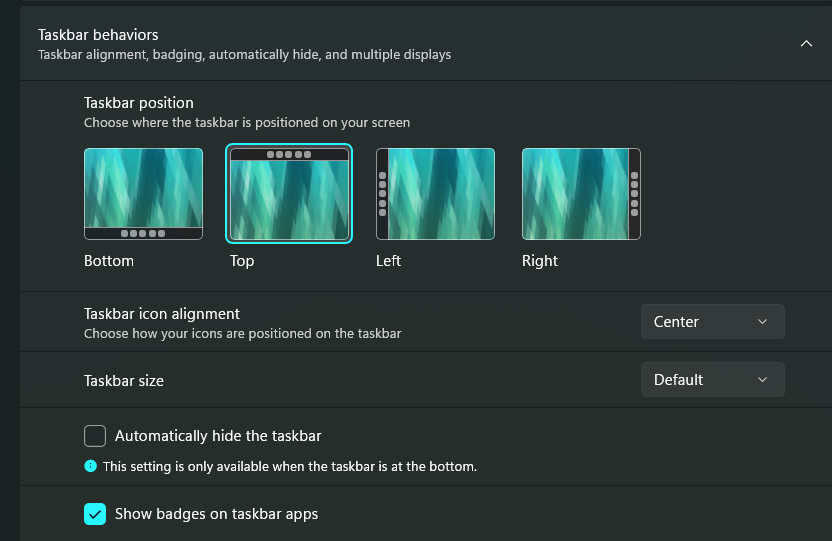
This took five years to do, for some reason.
Microsoft
I’m glad it’s back. Microsoft seems to be seriously trying to improve Windows 11 for users for the first time, not just using it as a serving platter for “AI” and a bunch of other expensive services. (And advertising. Don’t forget, Microsoft is a massive advertising company.) This isn’t the only thing it’s doing. Microsoft, while careful not to walk back its commitment to Copilot in pretty much every way, is pulling out a lot of the actual Copilot buttons it’s jammed into every possible nook and cranny of Windows.
And Microsoft is, allegedly, trying to make Windows functional on 8GB of RAM. Here I’ll point out that Microsoft set 16GB as a standard for itself years ago, and now sells Surface products that start at 8GB. And also Microsoft is a fairly sizeable part of the corporate issue creating the problem that’s making RAM unaffordable. So yeah, thanks for all of that, Microsoft! Windows feels kind of nice for me again, for the first time in years, despite your best efforts to make both hardware and software terrible.
One of my core measurements for improvement in an operating system is that I need fewer third-party tools. For example, I used to use a program called Ultramon to put taskbars on secondary monitors, back when Windows didn’t do that on its own. Now it does. Improvement. Simple.
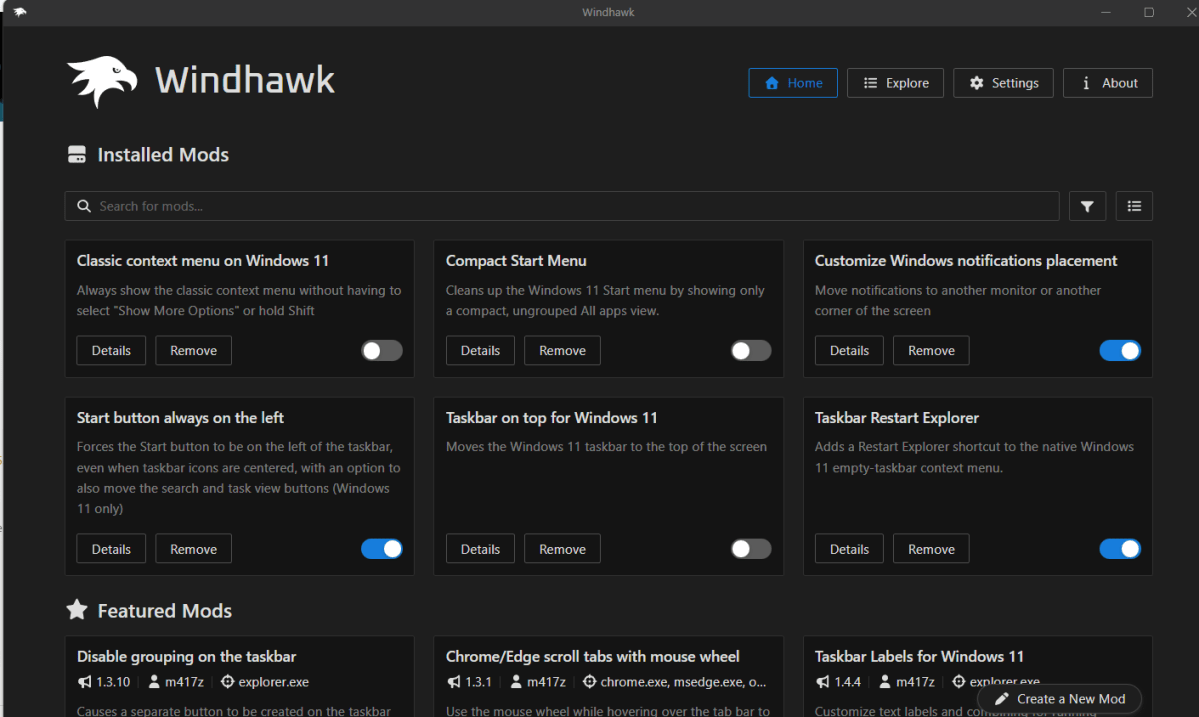
Windows 11 required me to add programs to bring core features back. So in honor of Microsoft reversing one of the biggest annoyances of its OS, I’m going to show you a program that can easily tweak a bunch of stuff, which I’ve been using and enjoying. It’s called Windhawk.

Ramen Software
Windhawk isn’t a mod in and of itself, it’s more of a platform for delivering Windows modifications. It reminds me a lot of some of the tools I used to use for rooted Android phones, back when that operating system was a lot less mature and needed work. (Take that statement as you will.) Windhawk offers hundreds of small tweaks, provided by the community, and shows users and reviews to give you a glimpse of how well they work. You can search and browse through it with an interface similar to an app store.