
5 cool things I screwed to the bottom of my PC desk
Welcome to the Boost Mode newsletter. Every week I share my insights on PC gaming, desktop setups, and hardware optimization. I also track down some of the most interesting PC and nerd news from around the web, plus a PC game pick you might not have seen elsewhere. Want this newsletter to come directly to your inbox? Sign up on our website!
Table of Contents
An easy power strip
If you’re anything like me, you’re constantly charging up gadgets in addition to your phone. Just within reach right now, I’ve got my wireless keyboard and mouse, headset, controller, laptop, tablet, and mobile headphones. And that’s not counting other things that I recharge on a pretty regular basis at my desk to do my job, like review units, various camera equipment. You get it: I’m charging a lot of stuff. And even if I wasn’t, there’s no such thing as too many outlets.
Michael Crider/Foundry
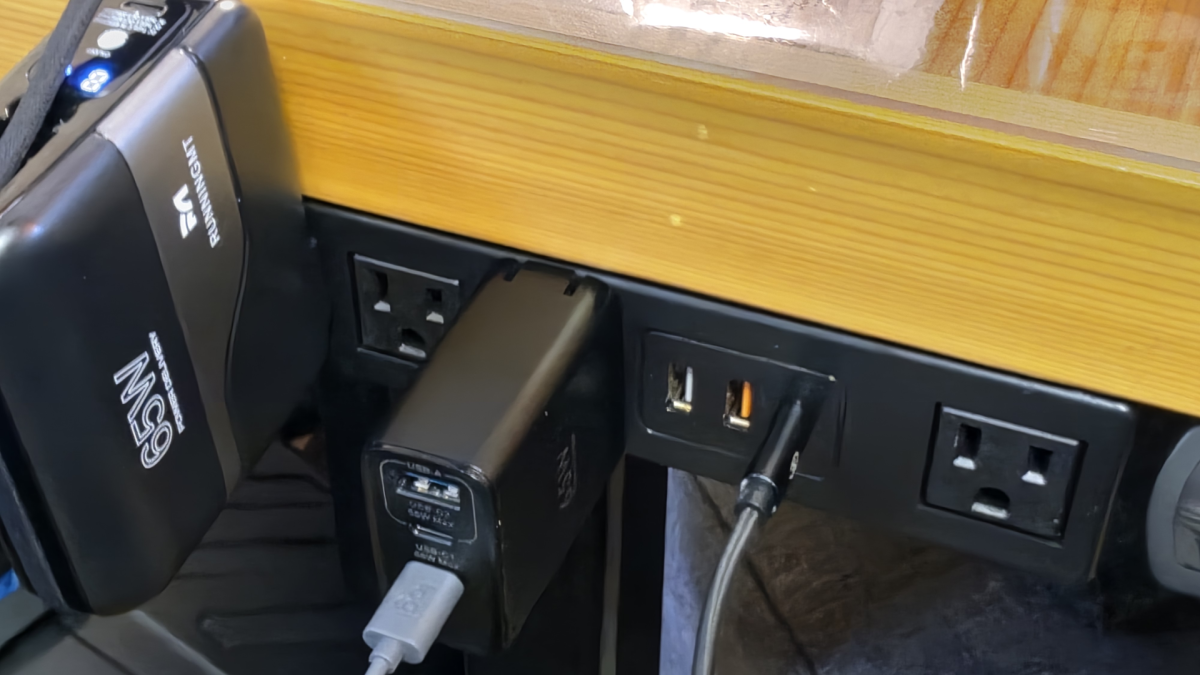
That’s why this thing lives right to the side of my desk’s control cluster. It has four standard U.S. power outlets, one of which is offset for oddly-spaced chargers, two USB-A ports that don’t even need a wall wart, and a USB-C port with 20 watts. Newer versions have up to 45 watts, supporting faster charging on some phones and tablets.
Unlike some of the other designs, it doesn’t need to clamp to the opposite side — it comes with a screw-in bracket that keeps everything nice and tidy. That makes it perfect for quickly charging pretty much anything. Just make sure it’s plugged into an outlet that isn’t the primary one for your PC’s surge protector or UPS, and you’re golden.
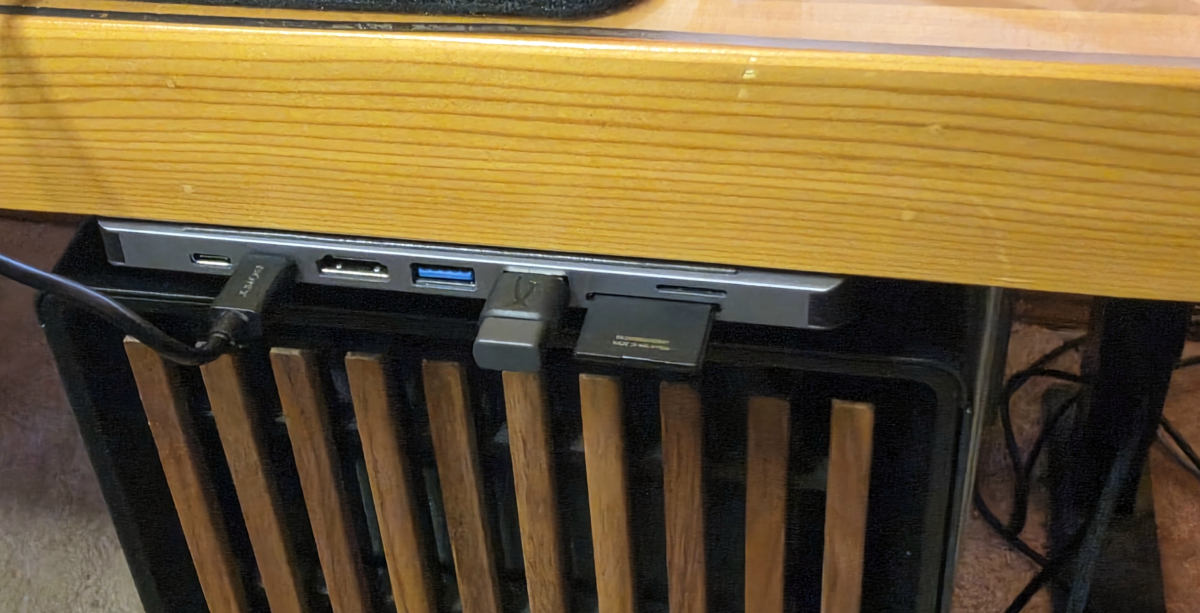
Speaking of plugging things in: I use an under-desk mount for my actual PC, something that they used to call a “CPU holder.” And while that’s wonderful for making sure that my cables don’t get tangled when the desk goes up and down, it makes accessing the top-mounted USB ports on the case pretty difficult. The solution is a handy little USB-C hub. This gives me a pass-through USB-C port, two extra USB-A ports, and SD and MicroSD card slots (which I use a lot for camera stuff). There’s also an HDMI port and Ethernet, which I don’t really need.
Michael Crider/Foundry
The precise model I use isn’t available anymore, but frankly they’re all pretty interchangeable. Find one with the ports you need facing in the same direction, and just use it as a means of re-orienting your PC’s front panel, if necessary. Mine is too small to screw in, since it’s designed as a lightweight mobile gadget. But I’ve found that a little double-sided Gorilla Tape has kept it firmly in place for years, across hundreds and hundreds of plug-ins.
A holder for my headset and controller
A game controller and PC headset are both things that you want within arm’s reach, but don’t need access to all the time. So it’s a waste of space to have dedicated holders on top of your desk, don’t ya think? That’s valuable real estate for lunch dishes toy spaceships Chibi Godzlla important things that I definitely need for work.
