
Paragon Backup & Recovery Community Edition review: Fantastic file backup for free
Even better, as far as I could tell, you’re nagged to spend money only if you click on a feature that’s exclusive to Hard Disk Manager. And to be honest, it’s more of a hint than a nag. Nicely low-key, Paragon. Now if only the disaster recovery had worked as advertised.
This review is part of our ongoing roundup of the best backup software. Go there for information on competing products and how we tested them.
Paragon Backup & Recovery CE: Features and design
Backup & Recovery CE features one of my favorite interfaces. When you’re creating a backup job, it steps you nicely through the process. That’s hardly unique; however, once you’re through creating a backup, there are links to various settings in the backup summary shown the main page. Sweet.
That said, while I described Backup & Recovery CE as easy, it doesn’t hold your hand through the file selection process. It’s either back up your entire computer (all internal drives), or select files manually. In other words, there’s no automated selection of music, video, business files, etc. as with other programs such as Genie Timeline 10 Home.
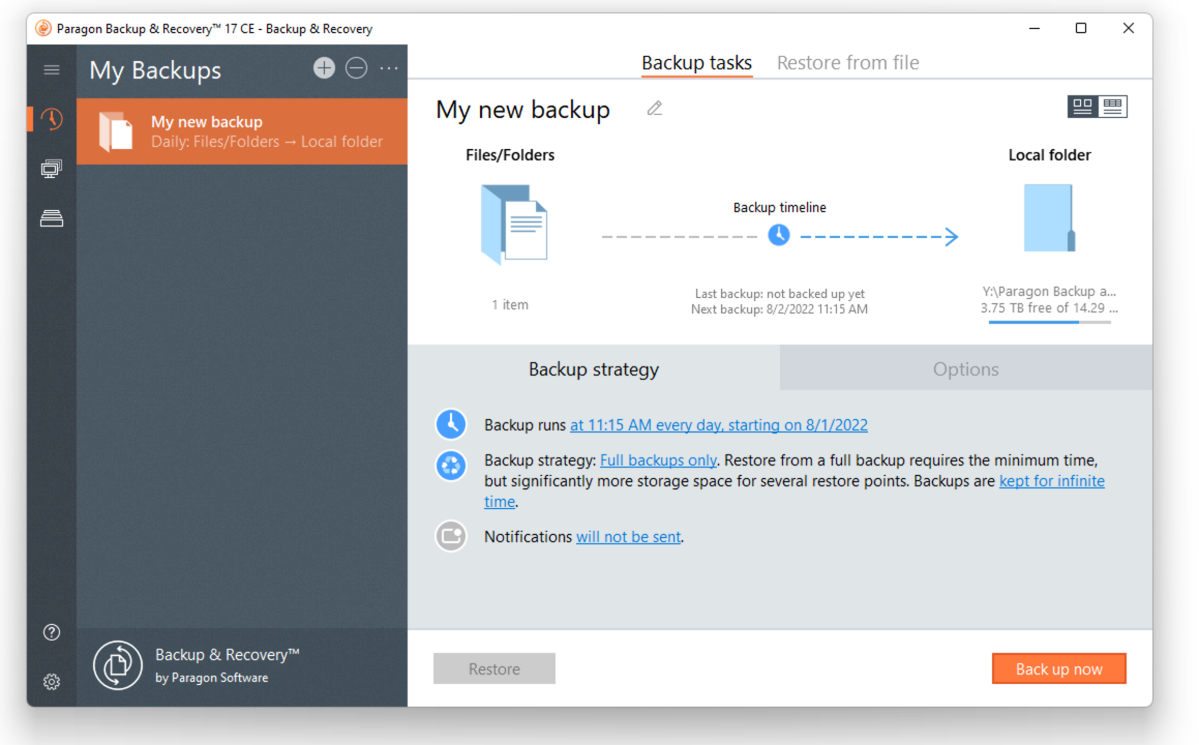
While the imaging and whole drive/partitions functions that are present in Hard Disk Manager are disabled, all the options the average user will need for file backups are active: compression, post-backup notification and verification, logging, backup retention policies (days, # of backups, out of room), as well as full, incremental (all data since last backup), and differential (all data since last full backup) backups. You may also back up to network locations, which is not always a given in the free backup-software realm.
Uniquely, you can also set combinations of full and incremental/differential backups. This mimics the standard IT strategy of periodic full backups as well as smaller incremental and differential backups. Usually, one full backup a week with incremental or differential backups the other six days.
The logic stems from full backups restoring faster, with incremental (really fast) and differential (fast) backups saving time during the backup phase, which occurs far more often than restoration (hopefully!), where they slow the process.
