
Don’t use Gemini Nano in Chrome? Delete this file, reclaim up to 4GB
Gemini Nano is primarily for Pixel smartphones, but it’s also available in Chrome. Its capabilities are limited, but you can use it to summarize text and conversations, rephrase messages, or generate short descriptions of images. Google Nano powers Chrome AI features like web page summarization, text rewriting, scam protection, and AI APIs for certain extensions.
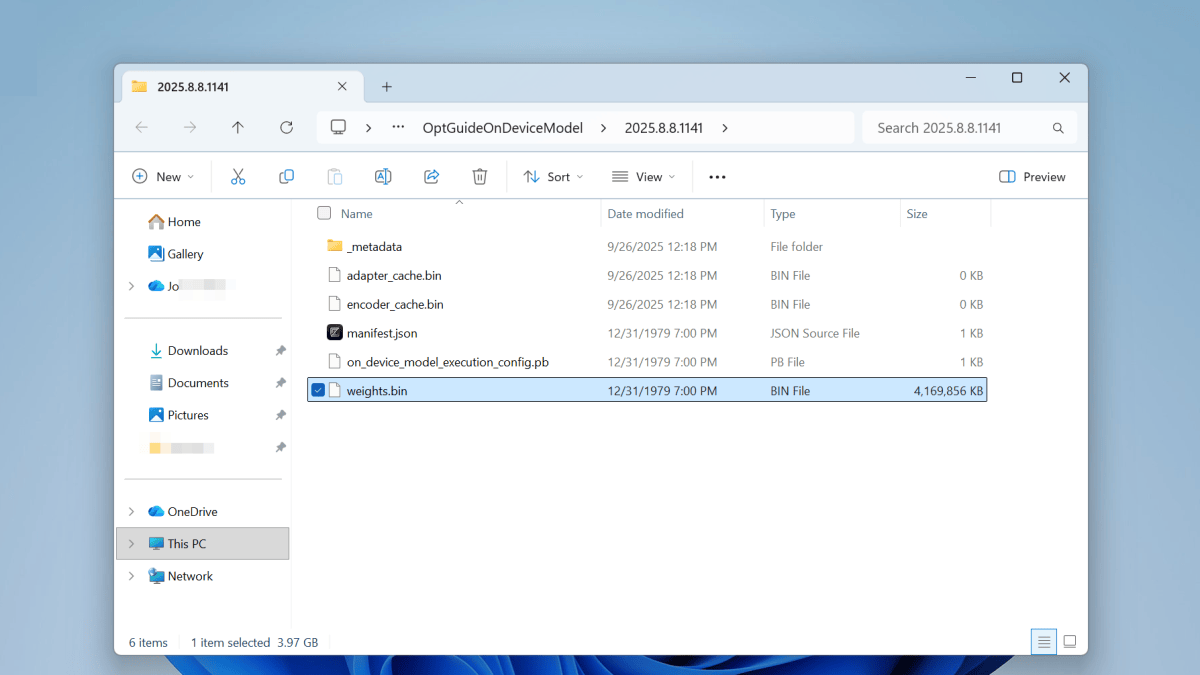
Joel Lee / Foundry
If you aren’t using any of the AI features in Chrome, you can delete the “weights.bin” file to free up a few gigabytes on your SSD.
To do this, navigate to the file in File Explorer and press the Shift + Delete keyboard shortcut. Windows will ask for confirmation once more before permanently deleting the file, bypassing the Recycle Bin.
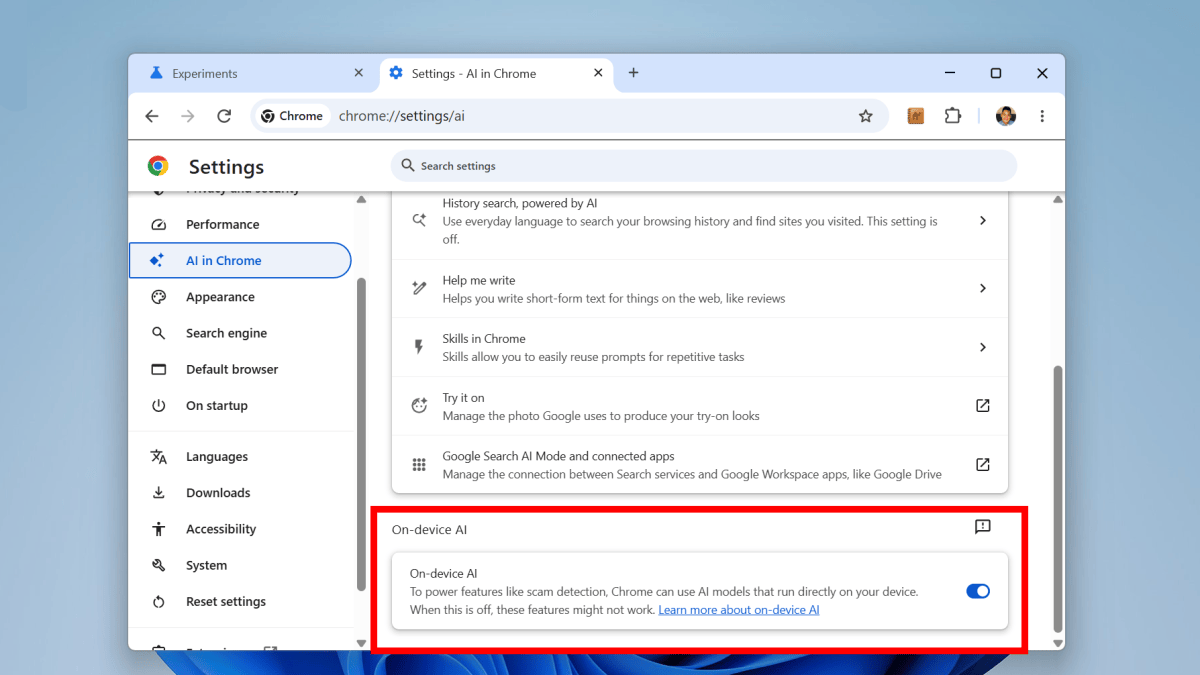
Joel Lee / Foundry
However, Chrome might end up downloading the file again. To prevent this, you’ll also need to uninstall Gemini Nano entirely. To do this, open the Chrome browser and navigate to settings. In the left sidebar, click on AI in Chrome. Then, in the right panel, scroll down until you see “On-device AI.” Disable that setting to turn off on-device AI.
Finally, click Relaunch in the bottom right-hand corner to apply the changes. Chrome will no longer re-download “weights.bin” to your system.
