
Alexa has a Prime Day superpower. Use it with caution
Summary created by Smart Answers AI
In summary:
- PCWorld highlights Alexa’s ‘Auto Buy’ feature as a powerful tool for securing Prime Day deals automatically when items reach target prices.
- This Amazon Prime exclusive feature works only with ‘Fulfilled by Amazon’ products and cannot apply coupons to purchases.
- Users must carefully monitor Auto Buy orders since cancellation is limited to a 24-hour window after purchase.
Time is of the essence when it comes to Amazon Prime Day. Snooze on a great deal, and it’ll probably be gone before you can toss it in your shopping cart.
Your best bet for using AI to scour Amazon for Prime Day deals is the company’s own Alexa for Shopping bot. ChatGPT, Claude, and Gemini are only of limited use for Prime Day (which is on now and runs until June 26), given that they can’t directly scan Amazon listings and must rely instead on secondary sources that usually lack real-time pricing details.
Available on the Amazon web site and mobile apps (look for the little blue “a” in the corner of the interface) or through Alexa+ on an Echo speaker, Alexa for Shopping offers most of the features you’d expect, including price alerts, and the ability to search for and compare deals. It can even check the pricing history for an item as well as create custom “buying guides” for any category you see fit.
But Alexa for Shopping (formally known as Rufus) has another, even more powerful feature that can jump you to the front of the line on Prime Day. Just know that with this particular ability, you’re essentially handing Alexa your credit card.
The feature is “Auto Buy,” and it works like this: Just ask Alexa to “auto buy” an item once it hits or falls below a certain price. Once you do, Alexa will keep an eye on the item and purchase it (using your default payment method) the moment it reaches the target price.
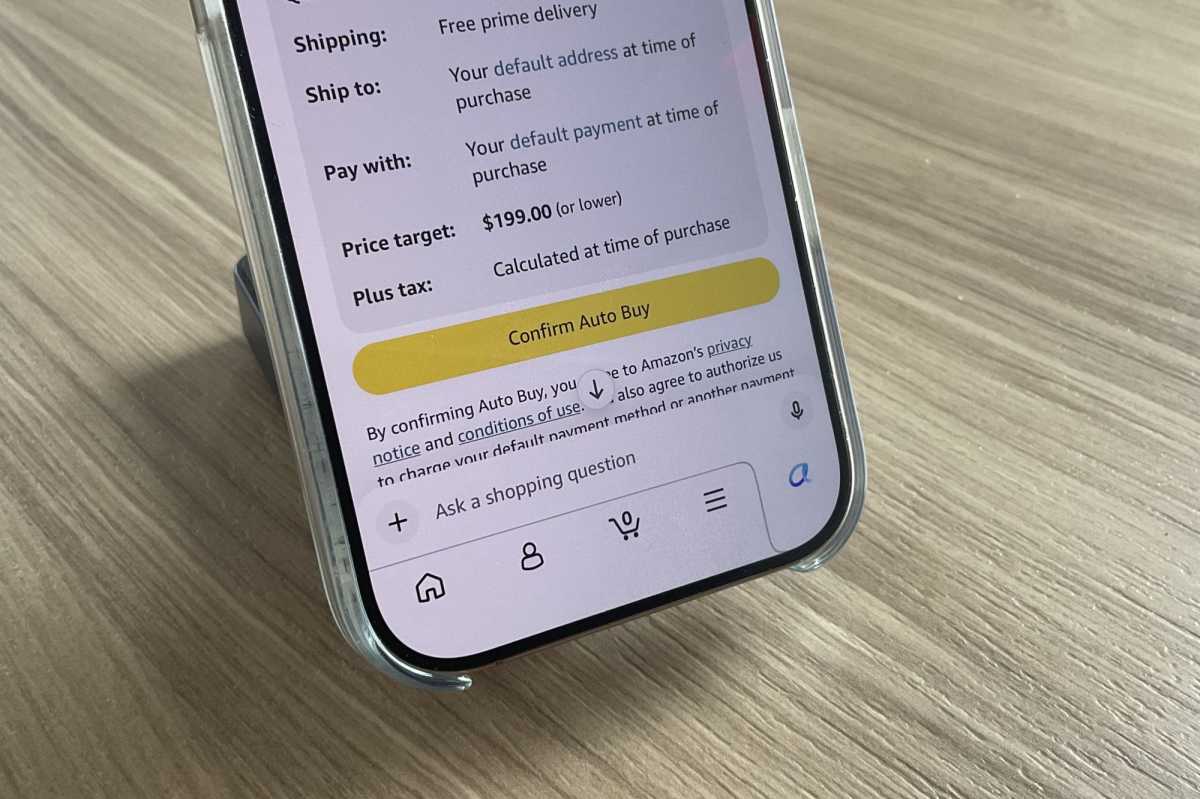
Give Alexa the go-ahead, and it will buy any item you designate the moment it hits a certain price.
Ben Patterson/Foundry
Auto Buy can be especially effective when used in tandem with Alexa’s price history abilities. For example, if you’re eyeing a given item and notice that it tends to get a regular Prime Day discount, you can set an Auto Buy order at the expected Prime Day price, allowing you to grab it before the rush.
Of course, with great power comes great responsibility, which falls squarely on your shoulders. It’s on you to keep track of your Alexa Auto Buy items, and if Alexa does go ahead and buy something on your behalf, you only have 24 hours from the time the order was placed to cancel it. After that, the purchase is a done deal, subject to Amazon’s regular return policies.
To keep track of your various Auto Buy items, just ask Alexa: “What are my Auto Buy items?” You’ll then get the full list, and you’ll be able to edit the details or delete specific items.
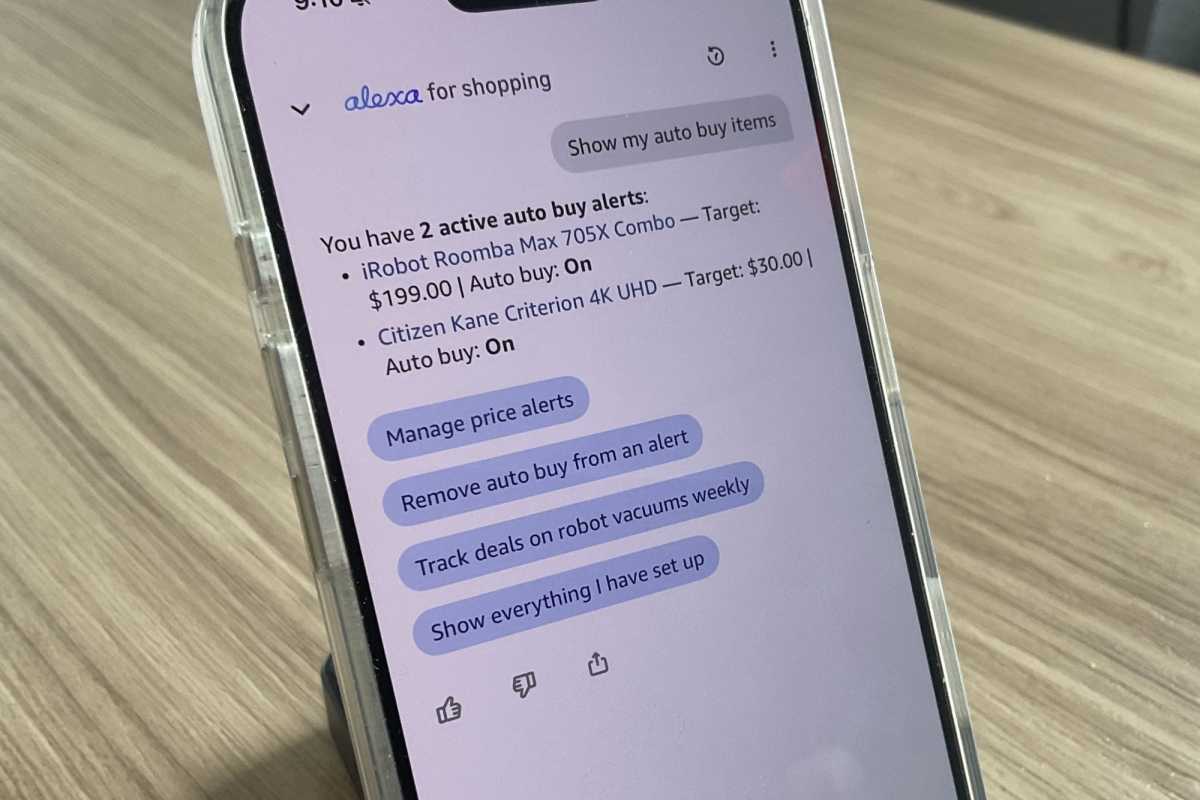
Just ask Alexa for a list of your current Auto Buy items.
Ben Patterson/Foundry
For now, Alexa’s Auto Buy feature is restricted to Amazon Prime members (don’t forget that you can sign up for a 30-day free trial for Prime), and you can only place Auto Buy alerts on “Fulfilled by Amazon” items.
Other Auto Buy restrictions appear targeted at bulk buyers, such as a limit of 200 total Auto Buy orders at time time, and you can only purchase a single unit of any individual item. Finally, you can’t apply coupons (which can offer hefty savings on Prime Day) to Auto Buy items.
So yes – Alexa for Shopping’s Auto Buy functionality isn’t perfect, and it’s a feature you definitely need to keep an eye on, lest you inadvertently send Alexa out for a shopping spree.
That said, if you want to snag that steeply discounted Prime Day deal before anyone else gets their hands on it, Alexa’s Auto Buy superpower could be your best friend.
Prime Day is on now, and we’re tracking the best tech deals. Don’t miss out on the steepest discounts!
