Early Black Friday deals on Thunderbolt docs and USB-C laptop docking stations are growing quickly, with retailers jumping on “Black Month” interest to reward shoppers with some early sales.
I’ve been writing about, reviewing, and publishing deals on Thunderbolt docks for years. I love them! They’re fantastic additions to your desktop. I will say that dock deals can be harder to find now, as inflation has pushed some prices higher. Still, there are still solid discounts to be had — and, interestingly, some of them are from the vendors’ own sites, themselves.
I’ve listed the best deals I’ve found on major etailer sites, below, along with an explanation of why I’ve chosen each deal. Alternatively, you can work from my list of the best Thunderbolt docks as well as the best USB-C hubs, and see which are on sale.
Table of Contents
Deals at a glance
- Best Thunderbolt 4 docking station: Lenovo ThinkPad Universal Thunderbolt 4 Dock, 100W charging, $199.99 ($140 off at Amazon)
- Best Thunderbolt 4 docking station, runner-up: OWC Thunderbolt Go Dock, 90W charging, $199.99 ($100 off at OWC MacSales)
- Best Thunderbolt 5 docking station: Kensington SD5000T5: 140W charging, $226.98 ($73 off at Amazon)
- Best Thunderbolt 5 docking station, runner-up: QUUGE Core 2 14-in-1 Thunderbolt 5 Dock, 140W charging, $299.99 ($50 off at Amazon)
- Best premium Thunderbolt docking station: Kensington EQ Pro Thunderbolt 5 Dock, 140W charging, $278.41 ($171.58 off at Amazon)
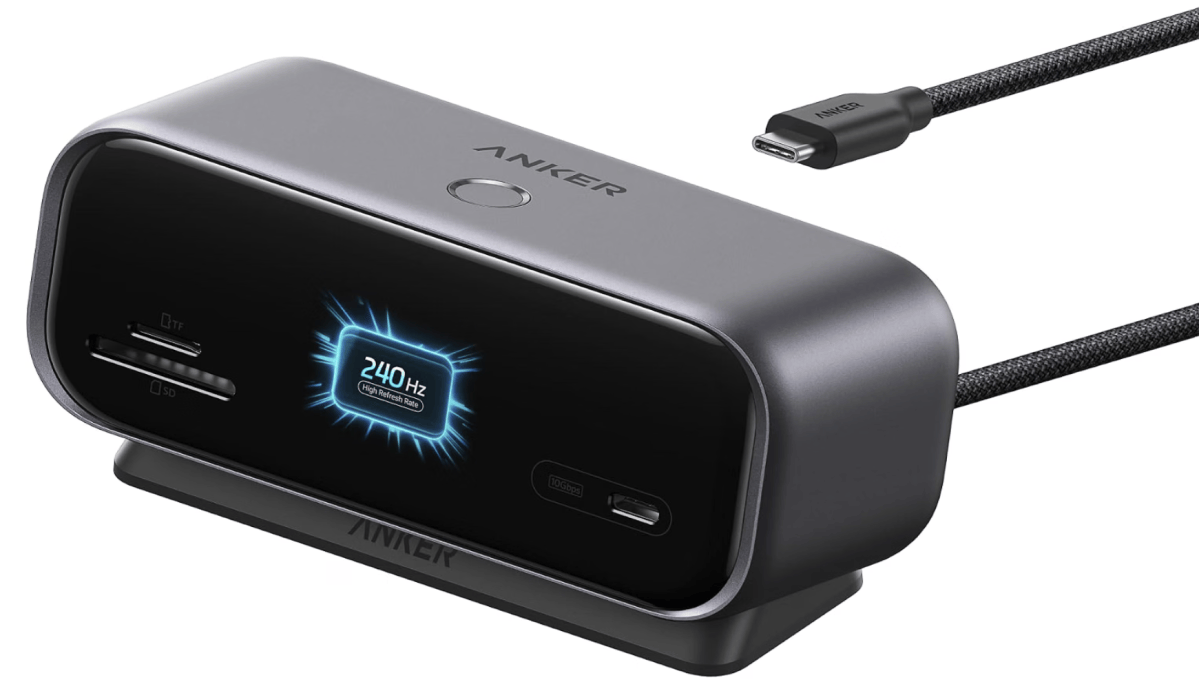
- Best USB-C docking station: Anker Smart Display Hub, $79.99 ($20 off at Amazon)
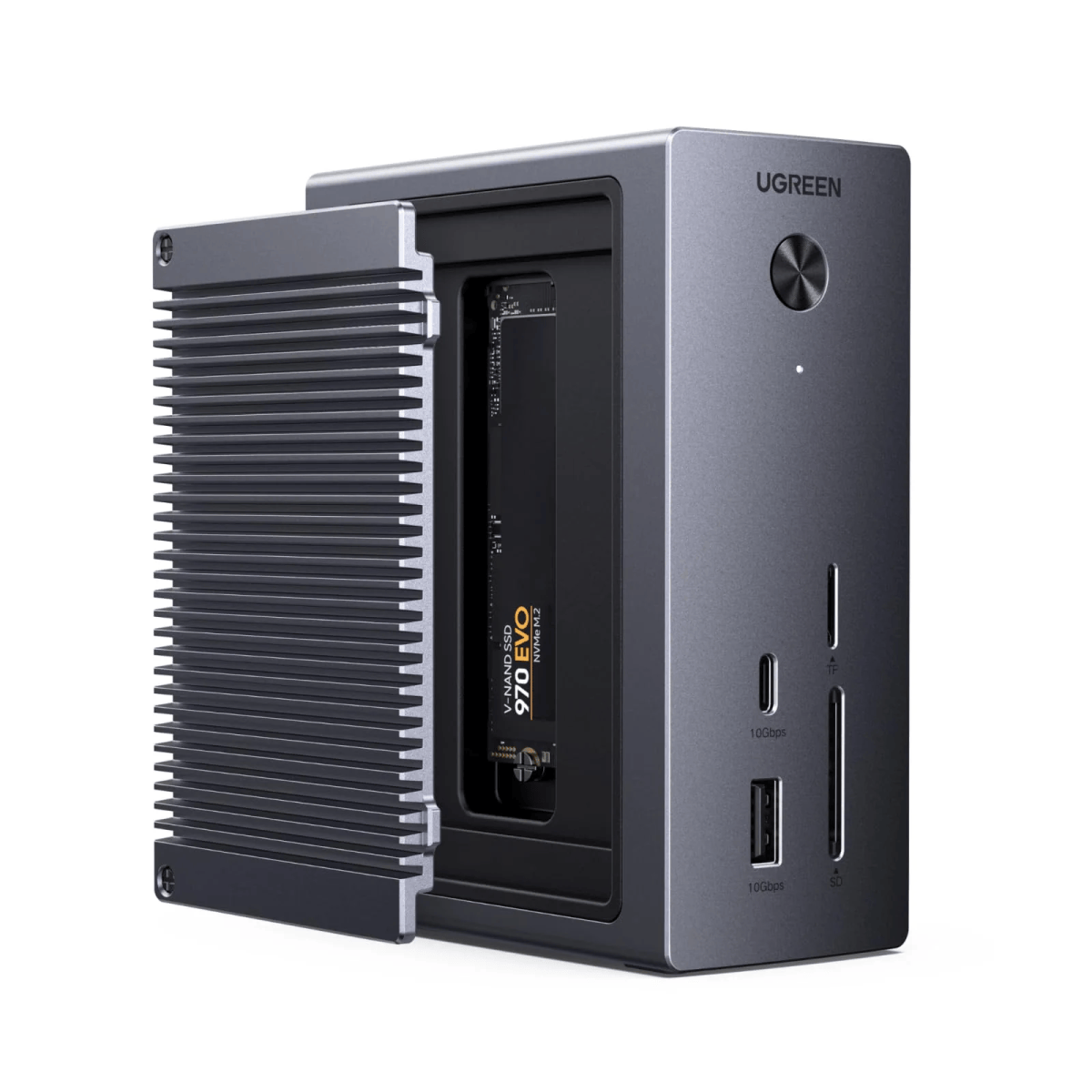
- Best USB-C docking station, runner-up: Ugreen 10-in-1 USB-C Hub, 100W charging, $59.99 ($20 off at Ugreen)
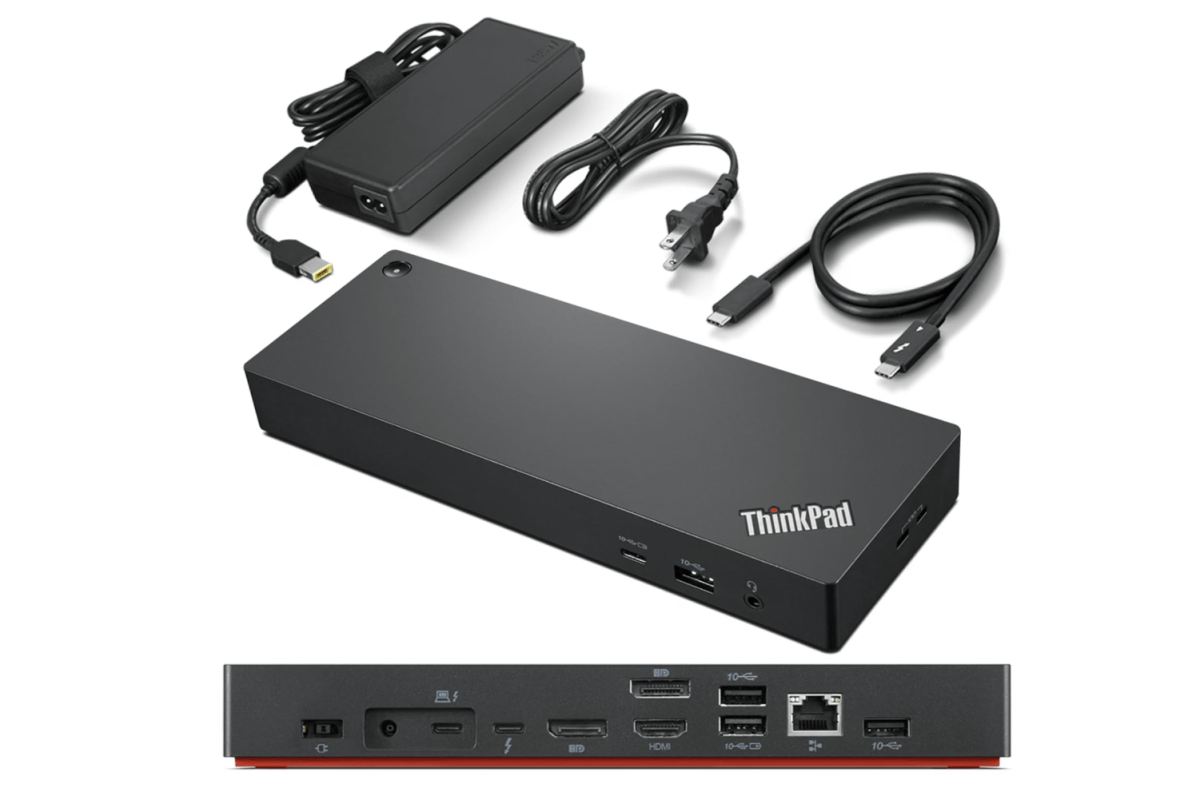
Best Thunderbolt 4 docking station deal: Lenovo ThinkPad Universal Thunderbolt 4 Dock, $199.99 ($140 off at Amazon)

Amazon
Who is this for?
If you want the best all-around Thunderbolt 4 dock — four 4K displays, 100W charging, and 11 ports from a single cable — this one’s for you. I’ve never reviewed this myself, but it offers practically everything you could want, including dedicated display ports, at an outstanding price.
Why is this deal good?
The list price of this dock is $339.99, so that’s a big sale! In all fairness, Amazon dropped the price briefly to $129.99 in April, which would have been the ideal time to buy. But it’s basically been at or above this price for all of 2026, with an exception for October Prime Day.
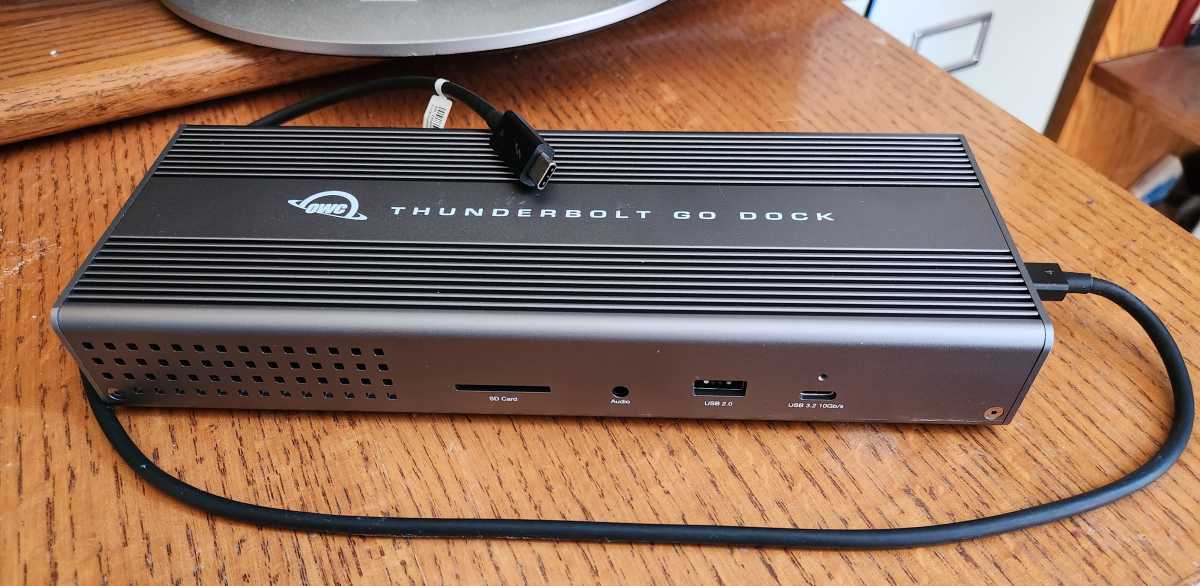
Best Thunderbolt 4 docking station deal, runner-up: OWC Thunderbolt Go Dock, $199.99 ($100 off at OWC)

Mark Hachman / IDG
Who is this for?
Old hardware isn’t necessarily bad hardware, and this early Thunderbolt 4 dock I reviewed in 2023 is still viable. It has an interesting advantage, too: the power brick is actually integrated, which can save some space. It’s interesting how you can look back on a dock like this and think, yes, there was room for improvement, but it was pretty solid, too. My review has all the pros and cons, but $199.99 seems like a solid price.
Why is this deal good?
If you look back at the review, you’ll find links to other retailers (Walmart and B&H) which also sell this dock at the $199.99 price. Knocking a third off of the MSRP is just a solid discount, period.
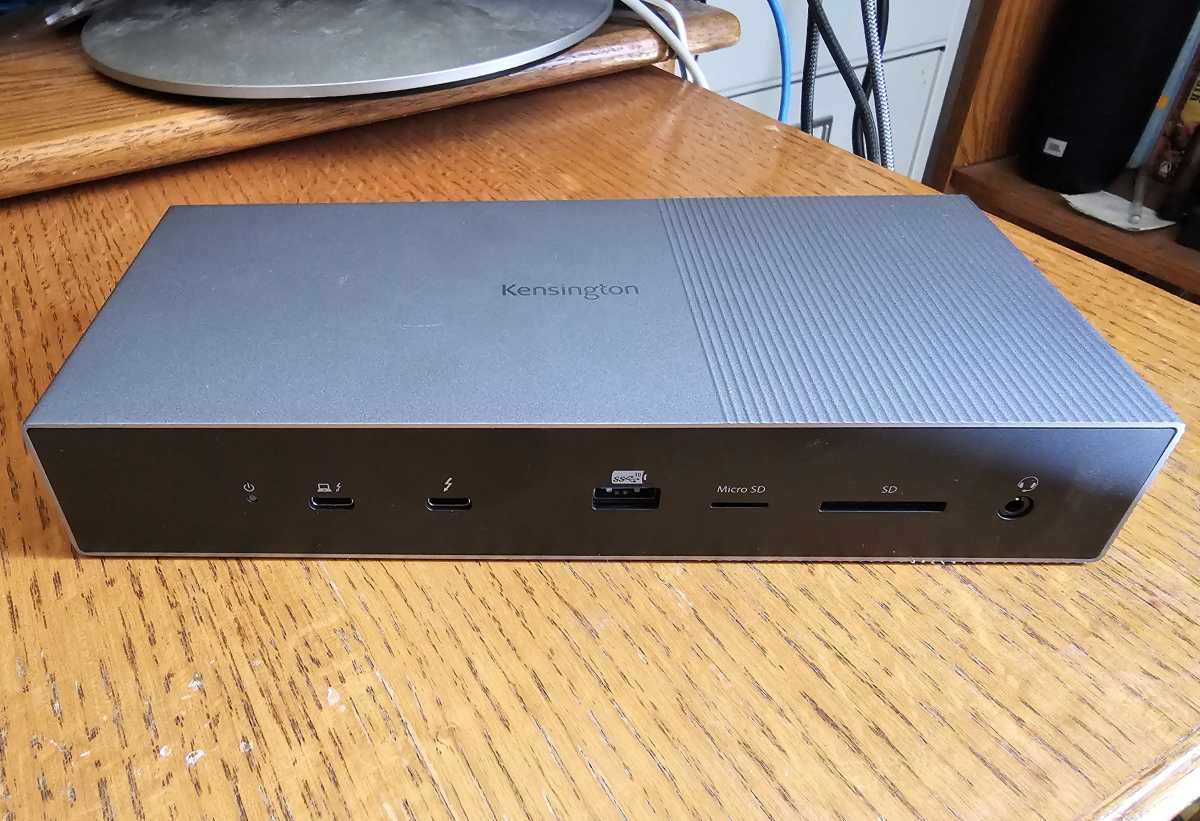
Best Thunderbolt 5 docking station deal: Kensington SD5000T5, $226.98 ($73 off at Amazon)

Mark Hachman / IDG
Who is this for?
About the only reason I didn’t formally review this dock is that I lacked a Thunderbolt 5-equipped laptop to do it justice. (My hands-on is here.) Today, Thunderbolt 5 is still reserved for Macs (boo) and gaming laptops ($$$). But Thunderbolt 5 can drive three 4K displays at 144Hz, which is handy for anyone. This dock also provides 140W of USB-C charging…which just so happens to be what these new RTX Spark laptops demand.
Why is this deal good?
Shop around and you’ll see Thunderbolt 5 docks selling for $300 and above, which of course is just about what the MSRP of this dock would be. Honestly, I’m happy when a Thunderbolt 4 dock sells for about $250, so this is just a nice bonus.
Best Thunderbolt 5 docking station deal, runner-up: QUUGE Core 2, $299.99 ($50 off at Amazon)


Amazon
Who is this for?
I’ll be honest — this is the only company on this list that I’m not familiar with. I’m guessing that’s why QUUGE dropped $50 off of the price. Looking at what it offers (a pair of HDMI ports, three upstream Thunderbolt connections, and gobs of ports) this could very well be characterized as a “premium” deal. I think a gamer might turn their nose up at the lack of a dedicated DisplayPort port, but you can solve that that with a separate display cable.
Why is this deal good?
A $299.99 price is an okay deal — not earth-shattering, but a nice discount. My gut said that retailers and manufacturers might let high-end buyers absorb some of the money they might lost in catering to mainstream buyers, and this feels a bit like that. It’s a bit of a discount, but not that much.
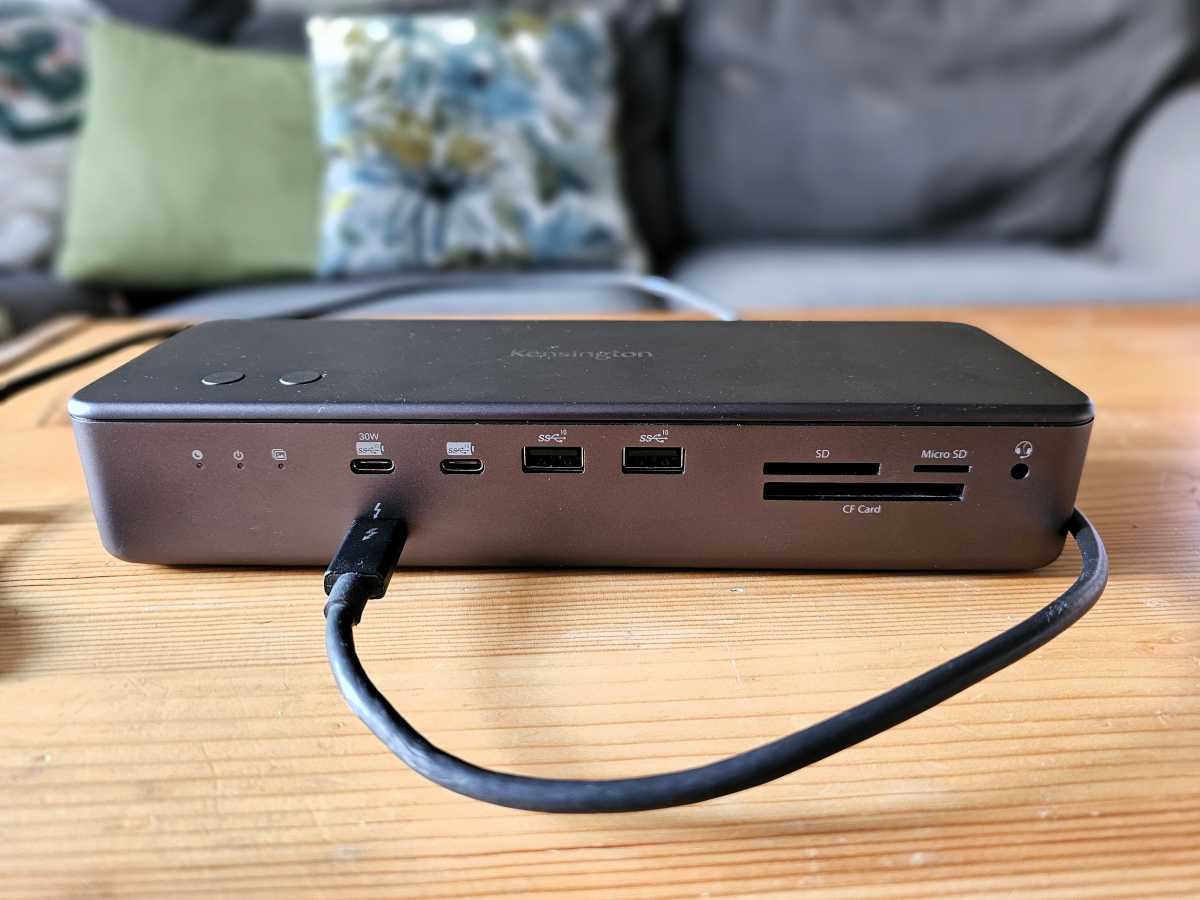
Best premium Thunderbolt dock deal: Kensington EQ Pro Thunderbolt 5 Dock, $278.41($171.58 off at Amazon)

Foundry / Mark Hachman
Who is this for?
Man, I loved this dock. I gave the EQ Pro a 4.5-star review and an Editor’s Choice when I reviewed it, not only because of what the dock offered but because of its integrated, lockable SSD slot. Inserting an SSD gives you nearly PC-like access speeds without taking up a slot inside your PC, and its revelatory if you haven’t tried it before. This is a fantastic dock for creative pros or just power users.
(Note: The dock does not come with an SSD, unfortunately.)
Why is this deal good?
When I reviewed it, however, this dock was priced at $449.99. That’s a huge drop in price, and this is clearly one of my favorite deals of the 2026 Black Friday season.
Best USB-C docking station deal: Anker Smart Display Hub ($50 off at Amazon)

Amazon
Who is this for?
This is a USB-C docking station, which have become a little more experimental in what they can do. A USB-C dock or hub only has 10Gbps of data to play with, which a display or two can eat up quickly. Anker and some of its rivals are emphasizing power and much as connectivity. I’d call this dock appropriate for a home office, but also for a student’s desk at college.
Why is this deal good?
This is a new dock, so there’s no real history to compare it to. Instead, we have a $20 discount right out of the gate.
Best USB-C docking station deal, runner-up: Ugreen 10-in-1 USB-C Hub, $59.99 ($20 off at Ugreen)

Ugreen
Who is this for?
This dock offers an integrated SSD connection, like certain Thunderbolt docks. You won’t see the lightning-quick, blazing throughout of those other Thunderbolt docks, but you’ll still save an SSD slot in your computer. Otherwise, there’s a number of ports, including an HDMI port. Note that the only device that this dock can charge, however, is the laptop itself.
Why is this deal good?
Ugreen offers this dock at $79.99 (at the top of the page) but then offers a code to take 25% off, and then applies for an end price of $59.99? I’m not sure how the math all works out, but $59.99 is a solid price for this product, in my book.
Don’t forget dock cables, too
Some docking stations include dedicated display ports, so your display’s HDMI or DisplayPort cable can plug right in. Others don’t, and you’ll need to pair your ports with what the dock offers. USB-C to HDMI and USB-C to DisplayPort cables run $8 to $25 at regular prices, and the holiday sales usually take them lower as Black Week progresses — if you need Thunderbolt 5-rated cables, budget a little more.
FAQ
When is Black Friday?
Officially, this year’s Black Friday takes place on Friday, Nov. 27, 2026. Cyber Monday is the following Monday, or Nov. 30, 2026. Amazon’s Black Week kicks off Nov. 19.
When do Black Friday deals on Thunderbolt docks begin?
Black Friday sales have already begun at several retailers, though sales should ramp up as Black Friday nears. Retailers haven’t been shy about using early sales to unload inventory before the Black Friday craziness begins.
Over the years, I’ve found that certain retailers simply outdo others in specific product categories. I routinely search sites like Newegg, B&H, Target, and Walmart, but Amazon typically has the best collection of deals on docking stations of all stripes, including Thunderbolt docks.
What should you pay for a Black Friday deal on a Thunderbolt dock?
Premium Thunderbolt docks usually retail for about $220 to $270 or so, depending upon the features. I usually hope for $200 or less, and we’re barely getting there.
Though Thunderbolt 3 and Thunderbolt 4 (and USB3 and USB4) docks all include the same basic feature set, it’s virtually guaranteed that retailers and e-tailers have sold through their old Thunderbolt 3 hardware. (If this confuses you, please see our list of the best Thunderbolt docks and the explanation for the different features.) This probably leaves Thunderbolt 4 / USB4 as the default choice.
I may recommend one or two deals on Thunderbolt 5 docking stations, but Thunderbolt 5 is a premium platform. None of the 2026 mobile processor platforms will integrate Thunderbolt 5 directly, favoring Thunderbolt 4 instead. However, some gaming laptops now use Thunderbolt 5, and it’s an easy way to future-proof your laptop.
I have a USB-C port on my laptop. How do I know what to use with it?
Consult your laptop’s manual. A Thunderbolt port may be labeled with a small lightning-bolt logo, but that icon can sometimes be used to signal that the port can be used for charging, too. If nothing else, a USB-C dongle/hub will always work with a USB-C port.
I still don’t understand the difference between USB-C and Thunderbolt. How does it all work?
USB ports have been around for years. USB-C (the oval-shaped port) replaced USB-A (the rectangular port) because USB-C was more versatile, with higher speeds and a reversible port connector. USB-C ports can be rated for either 5Gbps or 10Gbps, just like a normal USB-A port. But some USB-C ports connect to a Thunderbolt chip inside your laptop, and this allows the port to run at a higher 40Gbps speed. Physically, the connector looks exactly the same. It’s just what it can do that’s different.
Thunderbolt 5 is slowly entering the market, with a few docks and even fewer models of laptops that can support it.
What’s the difference between a USB-C hub and a Thunderbolt dock?
Speed and features. A USB-C hub connects to a single 4K (or 1080p) display and provides a mix of ports: USB-A, SD card slots, and so on. You can usually plug your laptop’s USB-C power cable (if it uses one) right into it.
A Thunderbolt dock supplies even more bandwidth for more ports. There are two key differences: It has enough bandwidth to drive a pair of 4K displays, and many docks come with their own power supply that can charge your laptop as well as your phone. All that occurs via the Thunderbolt cable that connects your laptop to the dock.
My laptop has USB4, not Thunderbolt. Can I use a Thunderbolt dock?
It’s easiest to think of it as a branding issue. Laptops with Intel chips inside include Thunderbolt — in this case, most likely Thunderbolt 4. But Intel won’t certify laptops that don’t have one of its chips inside, so that means a laptop with an AMD Ryzen chip or a Qualcomm Snapdragon chip inside includes the generic equivalent, or USB4. Yes, it’s kind of dumb.
There’s a small catch. Thunderbolt 3, Thunderbolt 4, and USB4 all run at 40Gbps across the same connector. USB4 is identical to Thunderbolt 4. But if your laptop runs USB4, it won’t “understand” Thunderbolt 3 protocols. But since Thunderbolt 3 has largely exited the market, it’s not really something to worry about.
Is Thunderbolt 4 better than Thunderbolt 3?
Slightly. Physically, they use the same USB-C cable. Functionally, they’re almost the same, and run at the same 40Gbps throughput. However, Thunderbolt 4 was released almost as a patch to Thunderbolt 3, ensuring that everything worked properly.
If your laptop has Thunderbolt, you should be able to buy either a Thunderbolt 3 or Thunderbolt 4 dock without any problems. (For all the gory details, see my roundup of the best Thunderbolt docks and the explanation.) Thunderbolt 5 is definitely better than Thunderbolt 4, as the throughput is 80Gbps in either direction, and 120Gbps in a single direction in very limited situations.
I own a desktop PC. Do I need a Thunderbolt dock?
Possibly. Historically, the back of a desktop has been chock-full of I/O ports, especially DIY models that you build yourself. Desktops usually have extra room for internal SSDs, SD cards, and so on. However, if your desktop lacks these things, and if it includes an external Thunderbolt port, you can always add these additional components externally via Thunderbolt.
Some of these docks have bad reviews on shopping sites. What gives?
Read the user reviews closely. While Macs adopted Thunderbolt first, some of the Apple M1 silicon couldn’t keep up with Intel Thunderbolt controllers used by Windows PCs, and the Apple macOS experience suffered as a result. If a Windows user complains, pay attention; otherwise, you can dismiss them.