But after reading Discord’s blog post more closely, I’m not worried… yet. Discoverable servers are meant to be found publicly, after all, and there’s potential good in exposing what’s being said on them. Forums have become less popular, and Reddit is continuing to turn away from search-driven traffic.
(Don’t know about you, but if someone figures out an obscure fix for a problem with a printer, I want to find it when I Google for a solution. I’m already going to be grumpy as heck.)
More importantly, Discord is allowing both users and server owners to opt out of the indexing. Assuming everything works as advertised, this approach is a surprisingly good balance between public discovery and privacy.
Here’s how to tweak those settings.
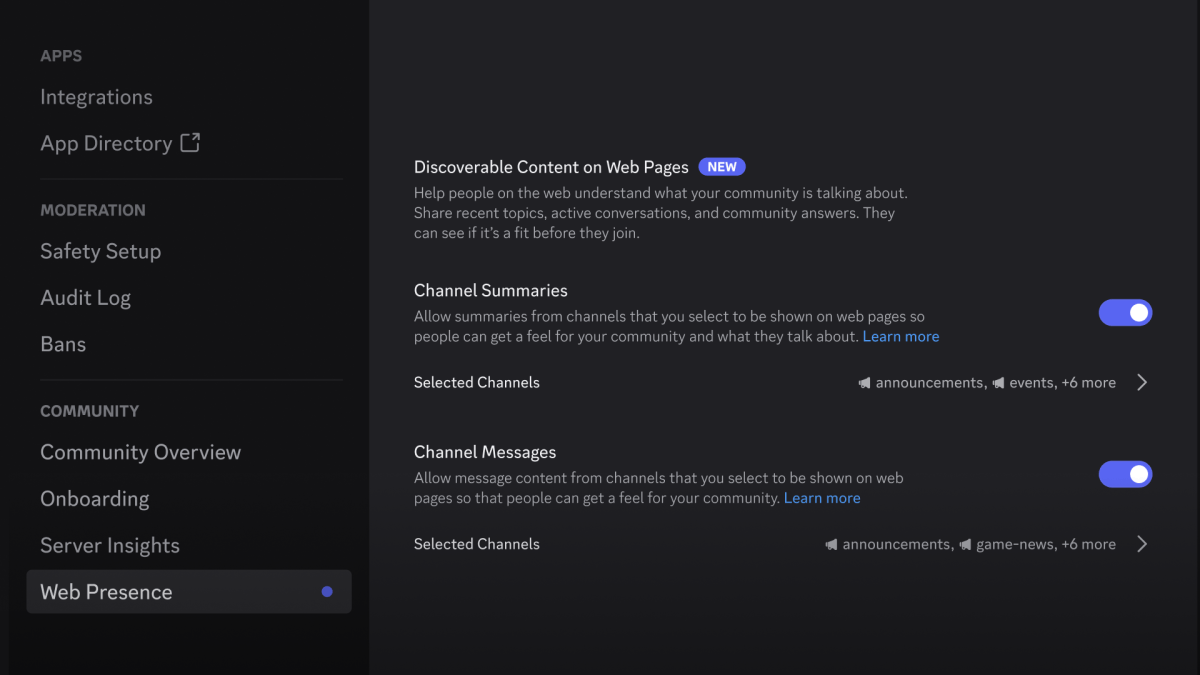
How to turn off search indexing for discoverable Discord servers

Discord
If you’re the owner of a discoverable server, open Server Settings. Near the bottom of the left-hand navigation menu, find the section with the community settings. Choose Web Presence.
(If you don’t see this option, your server is likely set as a private or community server. You can check the status in Community Overview.)