
Don’t like Google’s AI answers? Here’s how to get rid of them
Unless you live under a rock, you’ve probably seen that Google Search has been showing “AI Overviews” at the top of its search results.
These AI-generated summaries have been around for months now, and their aim is to quickly give you a one-stop answer to whatever it is you’re searching for. This is the same kind of AI-generated conversational response you might get from an AI chatbot like ChatGPT—and just as with ChatGPT, the answers in AI Overviews aren’t always kosher.
Google doesn’t make it easy to disable AI Overviews in its search results, but you do have a few options if you want to avoid the AI summaries.
Joel Lee / Foundry
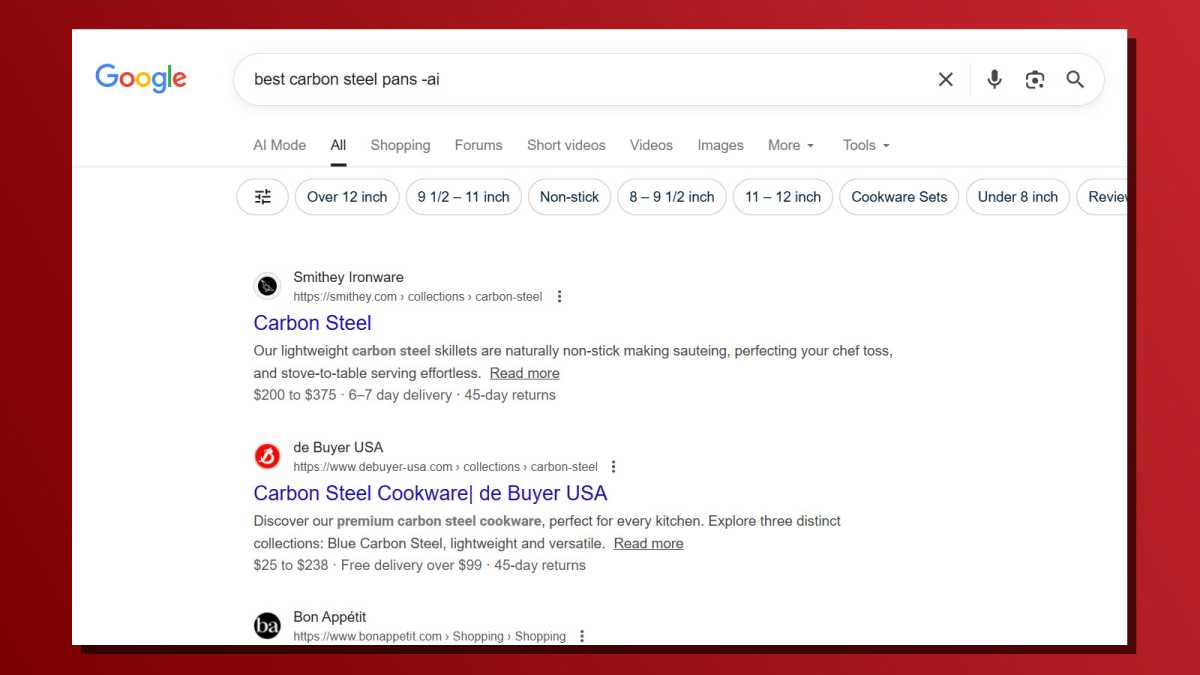
Method #1: Add the -ai parameter to the end of every search query. For example, if I’m searching for “best carbon steel pans” and I don’t want the AI summary, I can search best carbon steel pans -ai. As of this writing, Google still respects this search parameter.
Joel Lee / Foundry
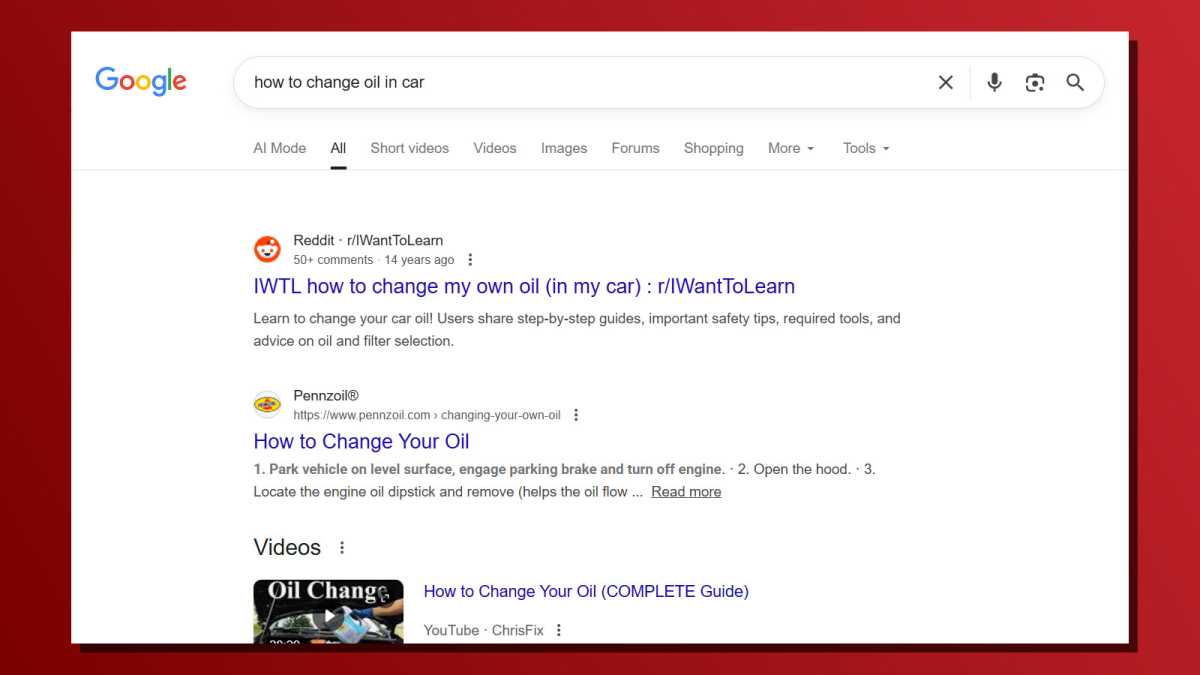
Method #2: Install a browser extension that does it for you. If you use Chrome, you can install the Hide Google AI Overviews extension from the Chrome Web Store. This open-source extension automatically removes AI-generated overviews from Google search results.
Joel Lee / Foundry
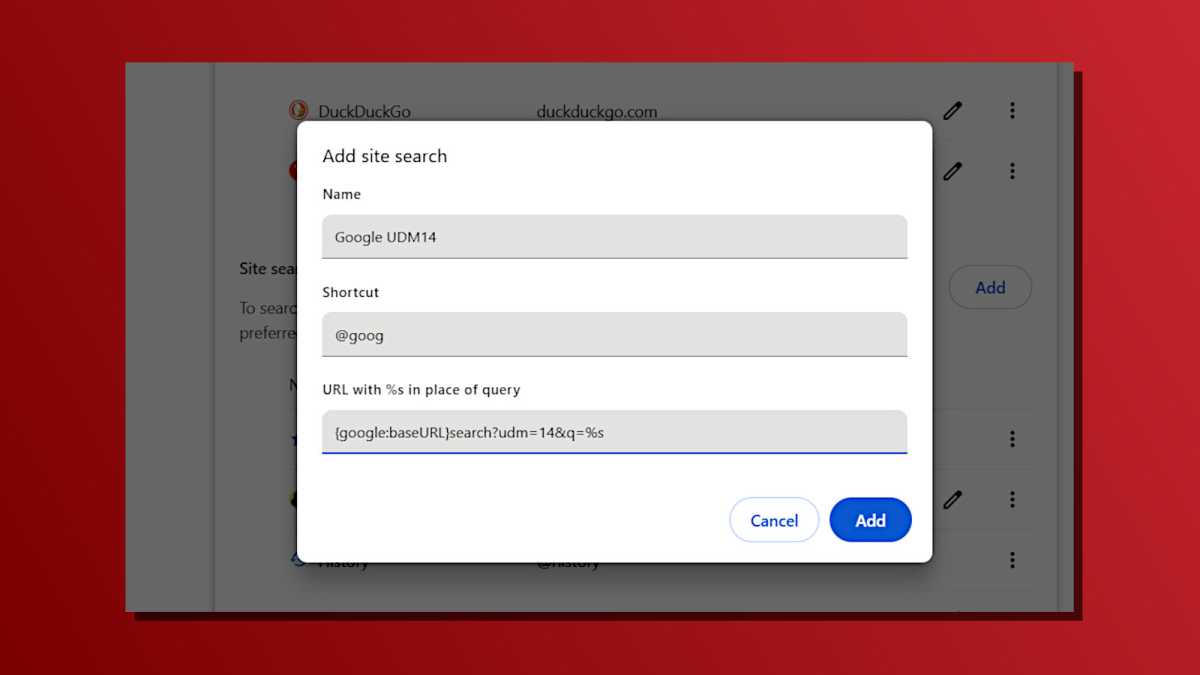
Method #3: If you don’t mind a slightly more complex tactic, you set up a custom Google search shortcut in your browser. With Chrome, you navigate to Settings > Search engine > Manage search engines and site search, then add a new Site Search. Give it a name and shortcut, then make sure the query string is this: {google:baseURL}search?udm=14&q=%s (the udm=14 parameter cleans up Google search results).
Joel Lee / Foundry
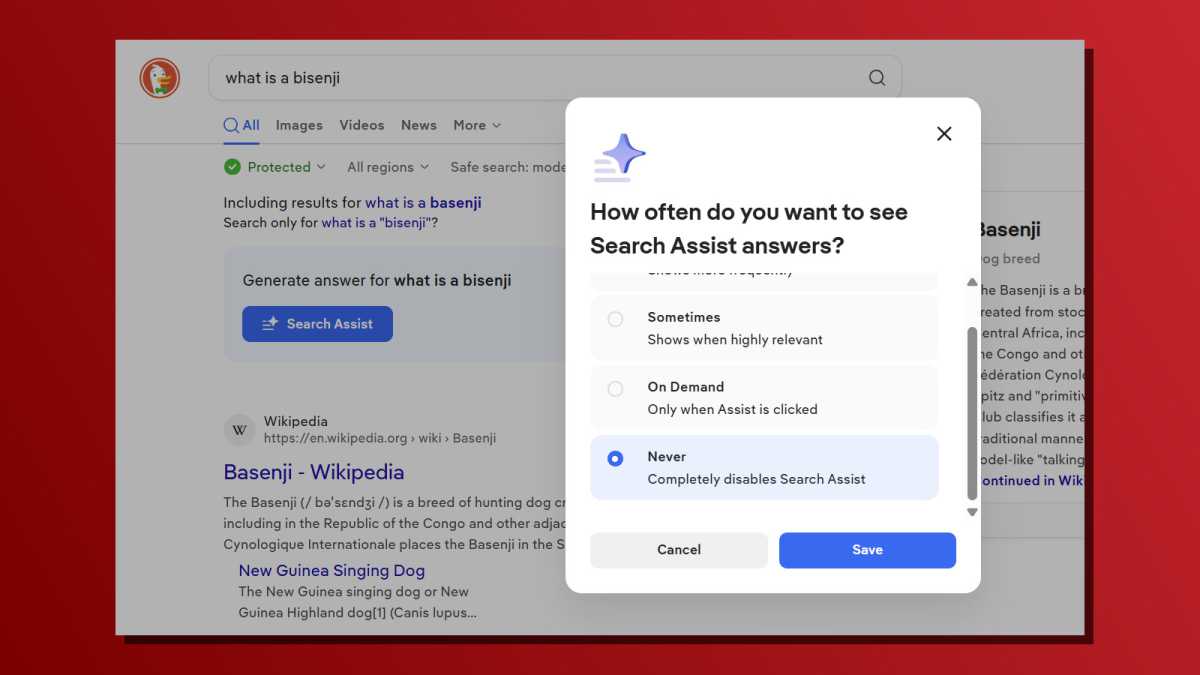
Method #4: Use a different search engine. As of this writing, the privacy-focused DuckDuckGo search engine has AI features but makes them opt-in (so they’re disabled by default). Ecosia is also similar with no AI results unless you specifically want them, as is Brave Search. (Unlike most search engines that borrow search results from Bing, Yandex, and others, Brave Search maintains its own search index!)
