If your PC is running slowly or has disk errors you need to address the problem. Rather than trying to uninstall programs you could run a scan on your hard drive to fix any errors. Here’s how to do that:
What to do:
- Open the command prompt as an administrator.
- Type the command chkdsk C: /f /r /x and press enter.
- If the drive is in use, you can select Y to schedule the scan for the next restart.
- Reboot the system to allow CHKDSK to perform the scan.
- This command will fix any errors on the disk and locate bad sectors and recover any readable information.

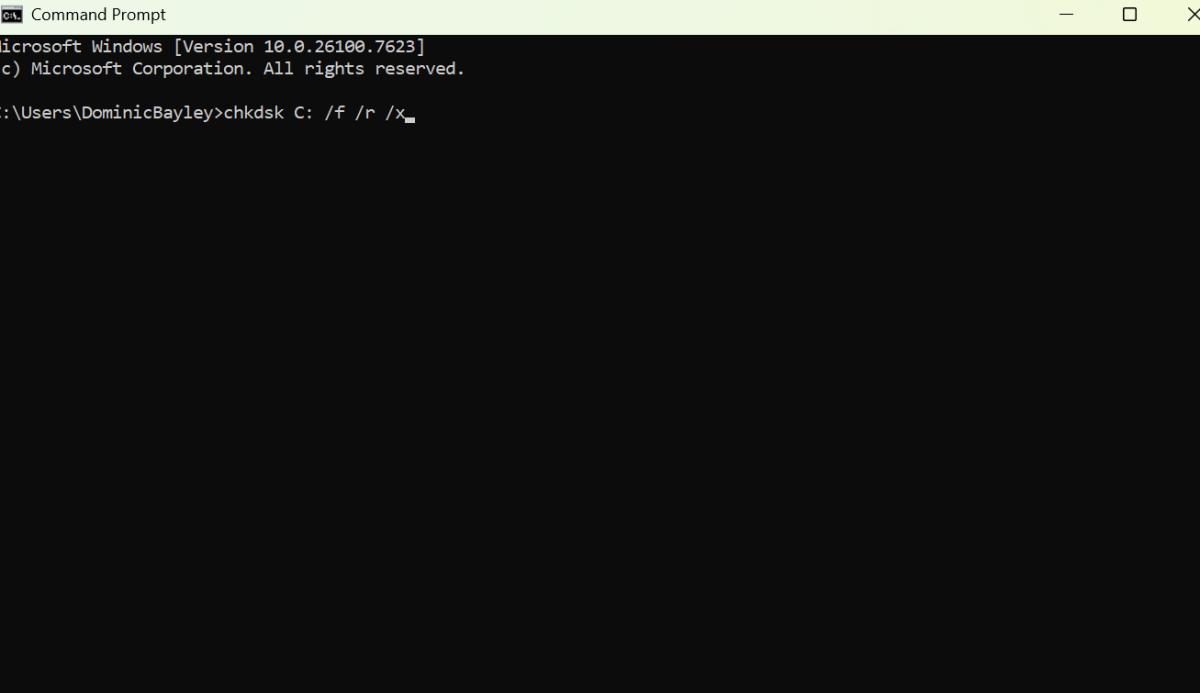
Dominic Bayley / Foundry
Once the scan is complete Windows will boot normally and you can check the scan results in the event logs. The results will indicate any errors found and whether they were fixed. You can review them in the Event Viewer under Windows Logs > Application.
After you complete these steps, your PC will boot up normally and you’ll have a detailed report on any errors that were found and fixed. Your PC should now run more smoothly, free of any errors that CHKDSK fixed.
That’s all we have for this tip. For more PC tips and tricks be sure to subscribe to our PCWorld Try this newsletter.