As verified by Videocardz.com, installing the tainted drivers allowed hackers to place a backdoor on affected PCs, spy on activity, redirect internet traffic, and interfere with normal operation of Windows apps. The issue was initially identified by Reddit users as early as December 2024.
Following Videocardz.com’s initial report, Geekom pulled down the problematic legacy page. (No word still on how the malware ended up in an official software download.) However, if you believe your PC is affected, you should take immediate steps to secure your PC. With this type of malware on your system, someone could steal information from your computer while maintaining persistent access to it, too.
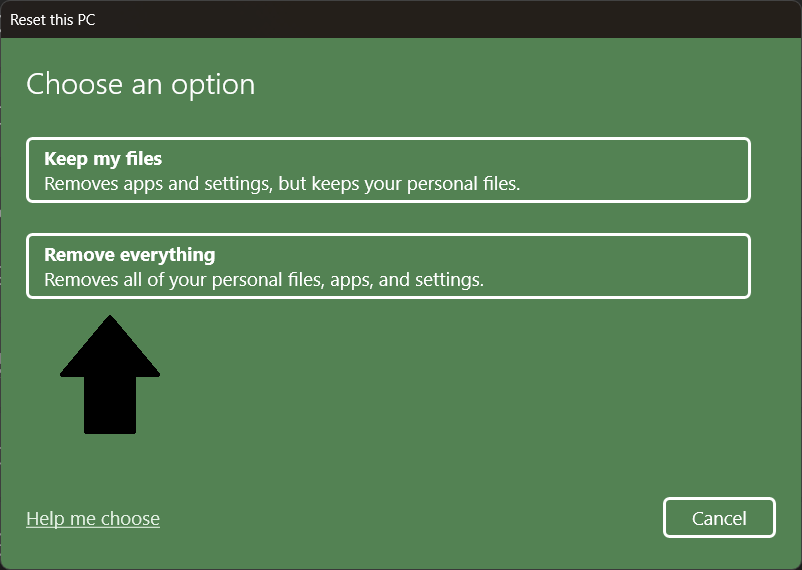
The fix: Back up your documents and files, then perform a clean install of Windows. (Completely nuke everything, then reinstall Windows.) Because of the malware type, you want to start over from scratch.

PCWorld
In general, the smart move is to get drivers through Windows first. If that doesn’t work, look up the manufacturer of the hardware component, then head to that vendor’s site. (You can usually find this information on your device’s official specifications page.) For the Geekom mini-PCs, the Realtek website has the necessary network driver.
The other takeaway? Googling for a support page isn’t always safe—at least, not when you’re dealing with smaller companies. They may not maintain or invest in software verification, especially for legacy pages.