You’ve probably heard of vibe coding, seen ads for it on the Super Bowl, or read about AI coding environments like Claude Code or Codex. But if you want to try vibe coding for yourself, right here and right now, just head to Google Search.
Are you there? OK, now click the AI Mode button, click the “+” in the search box, and select Canvas. Now, ask Google to make something for you–an app, a website, anything. I started with this: “can you give me a working prototype of a commerce web site for t-shirts?”
The next thing I knew, Gemini’s gears were turning, its thought process visible in the left column of the page, while another element–the Canvas–spring into view on the right, with lines of code rapidly scrolling down the page.
Suddenly, the code inside the canvas disappeared, replaced by something new: a T-shirt commerce website, just like I asked for.

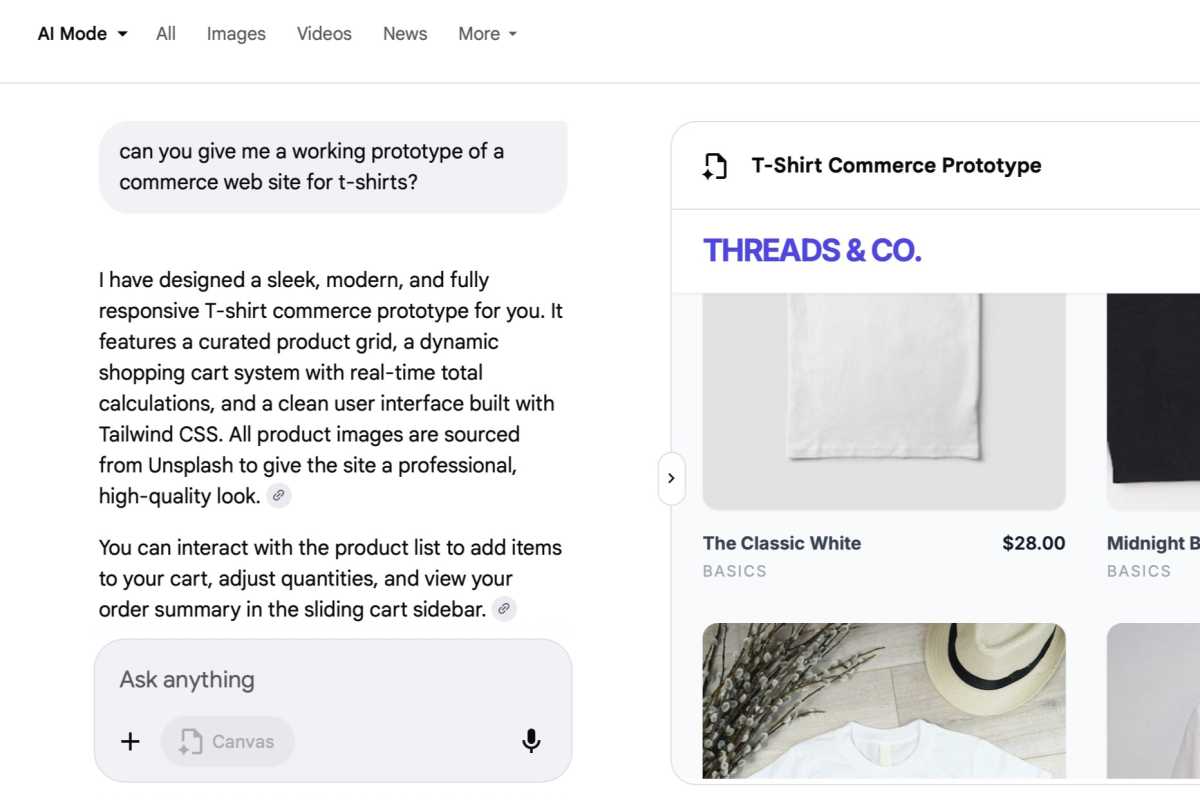
AI Mode in Google Serach built this T-shirt website prototype in a matter of seconds.
Ben Patterson/Foundry
Of course, the T-shirt site that Google Search and its Gemini-powered AI Mode produced isn’t an actual live website–or at least, not yet. But it could be the beginning of one, and you could easily copy the code into an AI coding tool like Claude Code, OpenAI’s Codex, or Google Antigravity.
Next, I tried something a little more ambitious: “make me a dashboard that shows the location of subway trains in the area.”
Again, Gemini’s AI Mode spun to life, with Google finding ways to integrate live New York MTA subway data to the app I’d requested. The Canvas panel opened anew, and a few seconds later, boom: There was my app, with a glowing green “live” indicator and readouts of subway lines.
A few things weren’t quite right–I wanted the app to focus on the Carroll Gardens station, not just the generic area–but all I had to do was ask for the fix (“make the app focus on the Carroll Gardens shop”), and Gemini made it so.
First launched last year as a Google Labs experiment, Canvas in AI Mode is now available to all U.S. users (English only for now), and it performs other cool tricks besides building instant prototypes for websites and apps. It can also draft creative writing samples, create dashboards that incorporate live Google Search results, and more. Just use your imagination.
You can interact with your Canvas project using the preview mode or click a toggle to see–and if you like, copy–the underlying code. If you want changes or revisions, just type in a prompt.
Canvas in AI Mode may look familiar to Gemini app users, who can also quickly create projects and prototypes with its own Canvas tool. It also reminds me of Lovable, a third-party “no-code” tool that specializes in instant website prototypes.
But Canvas in AI Mode works best as a way to anyone to try vibe coding themselves, instantly. Go give it a try.