Summary created by Smart Answers AI
In summary:
- PCWorld reports Google Slides now generates complete presentations from simple prompts, following Microsoft PowerPoint’s lead in AI-powered deck creation.
- This feature saves hours by automating presentation development through interactive questioning about source documents, length, tone, and visual styling preferences.
- Available exclusively to Google Workspace Business/Enterprise and Google AI Pro/Ultra subscribers, representing a significant productivity advancement for business users.
While opinions may differ regarding how effective AI has been to increase productivity, it’s done a far better job helping to eliminate busy work. Google Slides now can generate presentations with just a prompt, helping users to simplify a task some simply despise.
Not all meetings require a formal slide presentation to accompany discussion, but many do. Google is launching the ability to “generate presentation” from its Slides site, provided that you have the correct Business and Enterprise Standard and Plus plans on Google Workspace, or a a Google AI Pro or AI Ultra subscription. (I have neither, currently.) Otherwise, you’ll see the default slideshow view.
Prompt-to-deck is a feature that Microsoft has offered in PowerPoint for some time, albeit with its own requirement for an AI subscription. In fact, PowerPoint’s “home” screen plants a big prompt box right at the top, asking you to get started.
What’s nice about Google’s overall format is the recognition that the slideshow creation process is driven as much by Slides as it is by you. Essentially, you kick off the creation process by prompting Slides that you’d like a presentation deck in a particular format for a specific purpose, using some specified materials.

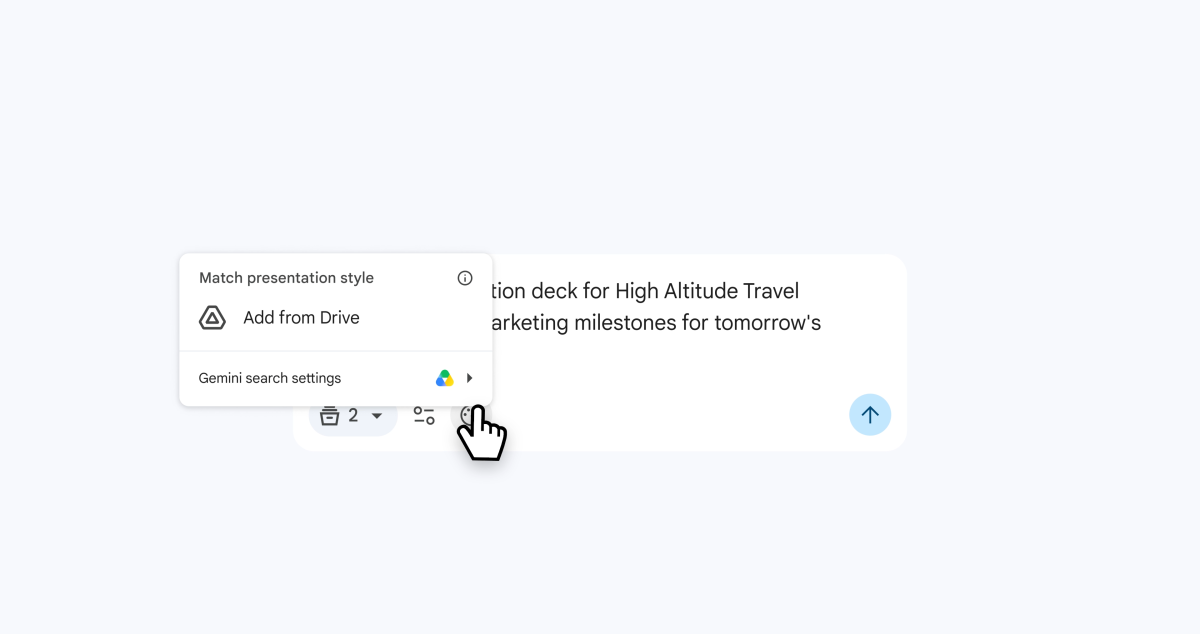
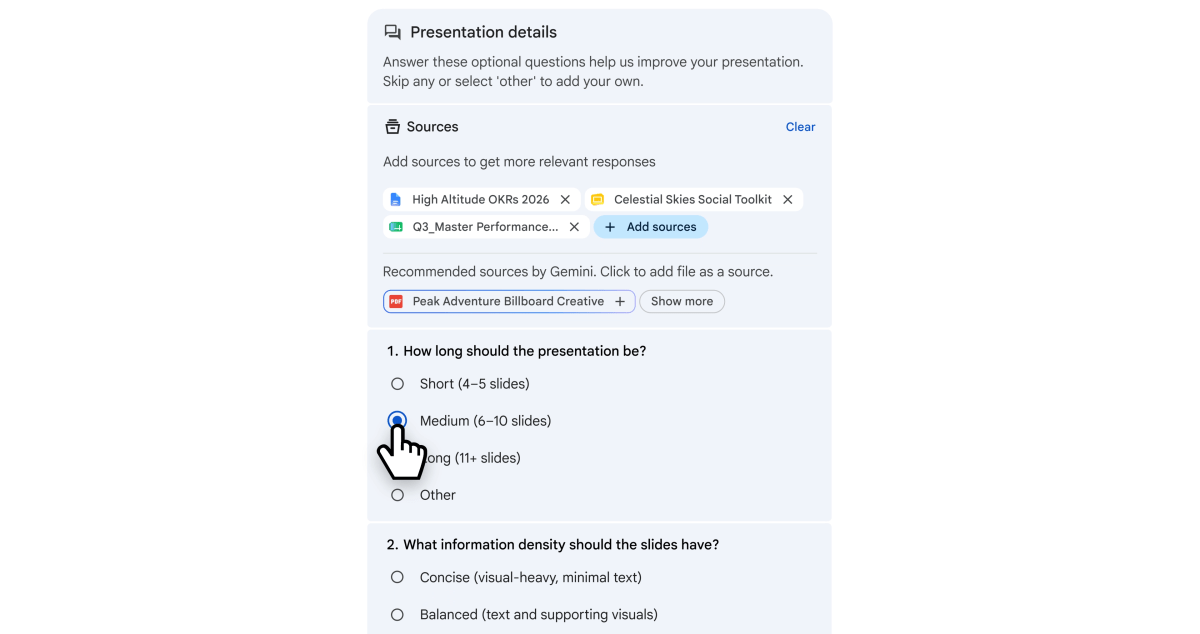
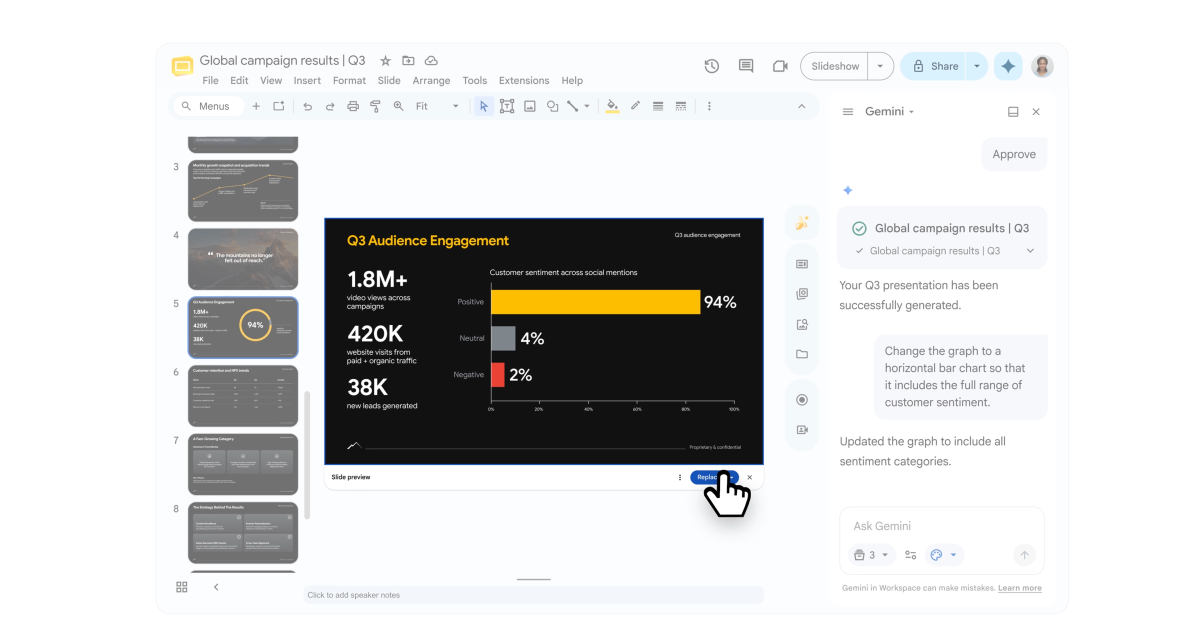
Google’s example, however, used a rather cursory prompt. Slides then (rather than using a lengthy LLM text interface) inserted a series of cards before the user, asking for source documents, length, and tone. It then created a basic outline of the deck, with the ability to edit and make changes, of course. From there, edits are made using the traditional text-based Gemini interface.
It’s an interaction Microsoft sort of skips over. You can upload files to PowerPoint and use them in the creation of the deck, but I liked the way Google appears to circle back, ask for specifics, and make its own suggestions.
Since many businesses demand a consistent style, you can point Gemini towards an earlier presentation to adopt those visual elements. We’ve seen this before with things like “Format painter” in Excel, where the style of a particular document is saved as a template; here, Slides is just pulling those elements from an earlier presentation.
Roughly 30 million to 35 million Microsoft PowerPoint presentations are reportedly created or delivered worldwide each day, although that Microsoft estimate dates way back from 2001 and doesn’t necessarily include newly authored presentations. How long each presentation takes to manually author hasn’t really been definitively nailed down, either. About two hours for a casual internal briefing seems typical, and anywhere from four to six hours for a more standard deck is a figure used by companies like TextDeck (another AI-generated presentation tool) — whose business would seem to be threatened by the new Slides addition.
PowerPoint can now generate an AI deck from scratch in less than 10 minutes; I haven’t had a chance to test Gemini and Slides yet.
The whole point of the exercise is that there isn’t a whole lot of complexity to it all — you simply tell Gemini what you want, it completes the task, and then you make the final changes. And, of course, the proof will be in what it delivers, rather than what it promises.

There certainly is a lot of disdain for “AI slop” in the market, and smart users will closely scrutinize Gemini’s early work until it consistently provides stable, error-free output. However, saving an hour or two on a task many users hate seems like a reasonable use of AI.
As a child born in the last century, I can remember hauling out paper maps and laboriously plotting directions. GPS and mapping applications have made that a thing of the past. I’m sure some users will see AI-generated slides in the same light.