Google’s Gemini AI isn’t a newcomer to its Workplace applications, such as Docs, Sheets, and Slides. But it was originally pretty dumb. Now, “knowledge” is the word that best describes Gemini’s new approach to how you work.
In 2024, Google began integrating Gemini into its Workplace apps. But in Docs, for example, you had to manually explain all the information that you wanted to include, plus the format and style in which you wanted the copy to be written. But that’s not the way that you work: you already have an idea of what you want to convey, and the source of that information.
Instead of feeding it specific information, Gemini can now simply adapt what it already knows of your Workspace data let it use that as the foundation of your content. (A day earlier, Microsoft showed off something similar with Copilot and Microsoft 365.) Though Google is adding new features to Slides, Docs, Sheets, and Drive, this autonomous synthesis, rather than directed content, is the underlying basis of what Google will be adding over the coming months.
Unfortunately, all of these features are only available to Google AI Pro and Ultra subscribers, or business customers that use Gemini Alpha. AI Pro costs $19.99./mo and Ultra costs $124.99/mo, putting the features out of reach for many users. Google Gemini Alpha is an optional feature which can be turned on for business Workspace customers.

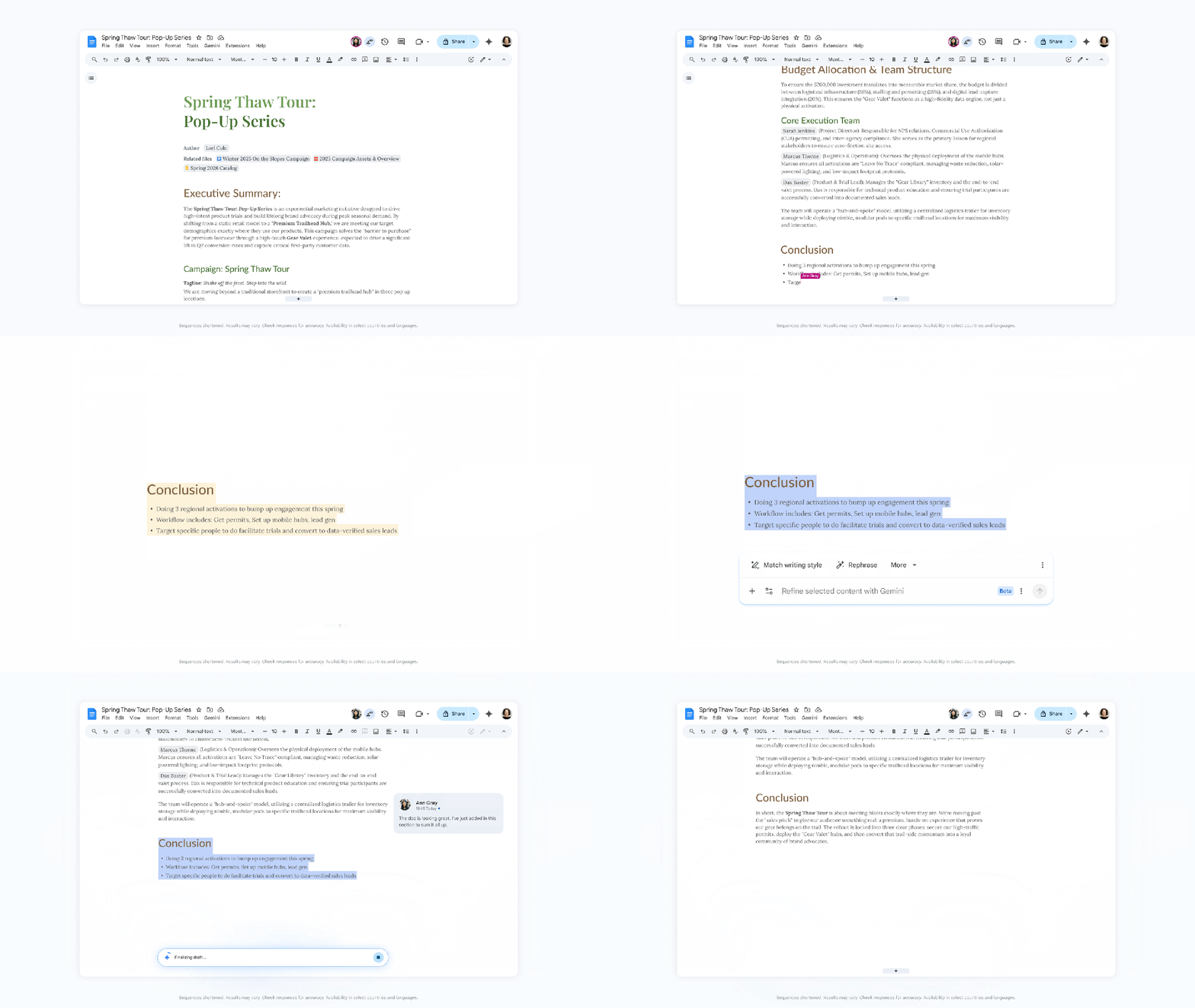
I can’t help but think of these new features as the textual equivalent of some of the AI features Adobe has been added to Photoshop. AI art certainly allows to generate a visual composition from scratch, but you can generatively expand the copy in Docs, as you can do with images in Photoshop. Docs also allows you to use AI to edit a block of text for style and tone; just highlight it and prompt the changes. Finally, a visual editor allows you to smooth out any imperfections. Docs allows you to take text and ensure that it’s tonally consistent with the rest of the document, even with multiple contributors. You can also ensure that it meets any corporate guidelines.
The way in which Gemini has been integrated into Slides acts similarly: you can use AI to generate a quick slide, or just funnel Workspace data into a prompt to generate an entire presentation. (Again, this capability was here before; the autonomous synthesis aspect is new.) The latter capability is close, but not quite here, Google said. The finished product will include “beautiful layouts that balance hierarchy, spacing, and visual weight while matching the style of your other slides,” Google said.
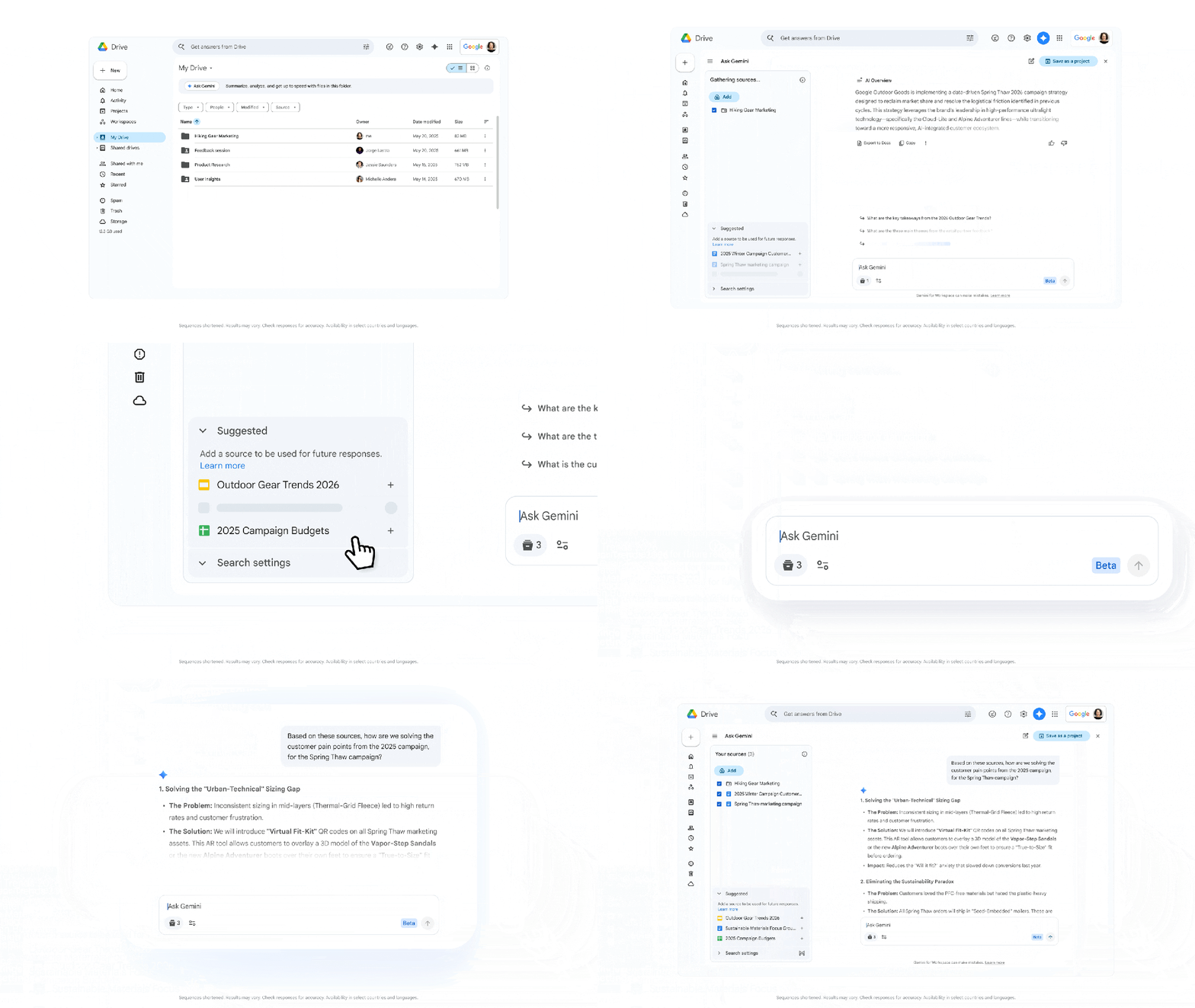
Like Copilot for OneDrive, Google is also turning your collection of cloud documents into a database of sorts that you can search and query. What Google is trying to do isn’t to provide a list of documents for you to manually go through, but to extract the information you need. Google is building on features like document summary, which have been in Drive before.
Finally, there’s Sheets. Here, Google and Gemini are doing three things, including allowing you to build a spreadsheet from data collected elsewhere, such as emails and other documents; as well as the capability to take that information and fill any empty cells that are available. Finally, there’s a much more valuable aspect: using that data and asking questions of it, trying to extract knowledge with a prompt versus a complex formula. That’s a challenge I’ve been wrestling with lately — though Google’s pricy subscriptions mean that I likely will be sticking with my existing Microsoft 365 subscription to solve the problem.
It’s not clear, however, whether these new charts will be dynamic; previous Gemini-generated charts were not.
These new features aren’t here today; instead, they’ll be delivered in the coming months, Google said. For now, they’re in English only.