
I gave ChatGPT access to Apple Messages. Then it took control of my Mac
For now, ChatGPT’s Apple Messages plugin only works on the ChatGPT app for Mac (sorry, Windows users), and it runs directly on your Mac. The plugin doesn’t work on the mobile version of ChatGPT (or at least not yet), and it can’t be accessed remotely.
Now, this kind of “search for and send messages” ability is nothing new; ChatGPT has long had a similar plugin for Gmail that can search your inbox as well as send Gmail messages on your behalf. So if the idea of ChatGPT of reading and sending messages to your contacts is unnerving, just know it’s been happening for awhile.
Still, while testing ChatGPT’s Apple Messages plugin, I got an unsettling surprise involving a different and even more powerful ChatGPT feature. I’ll get to that in a moment.
Installing ChatGPT’s Apple Messages plugin involves giving the ChatGPT app permission to send messages, access your contacts, and — gulp — full disk access to your system, which it needs in order to search conversations in the messages app. If you’re balking at the idea of giving ChatGPT full disk access to your Mac, that’s a wise instinct. I went ahead and click Allow because, well, that’s what I’m here for, right?
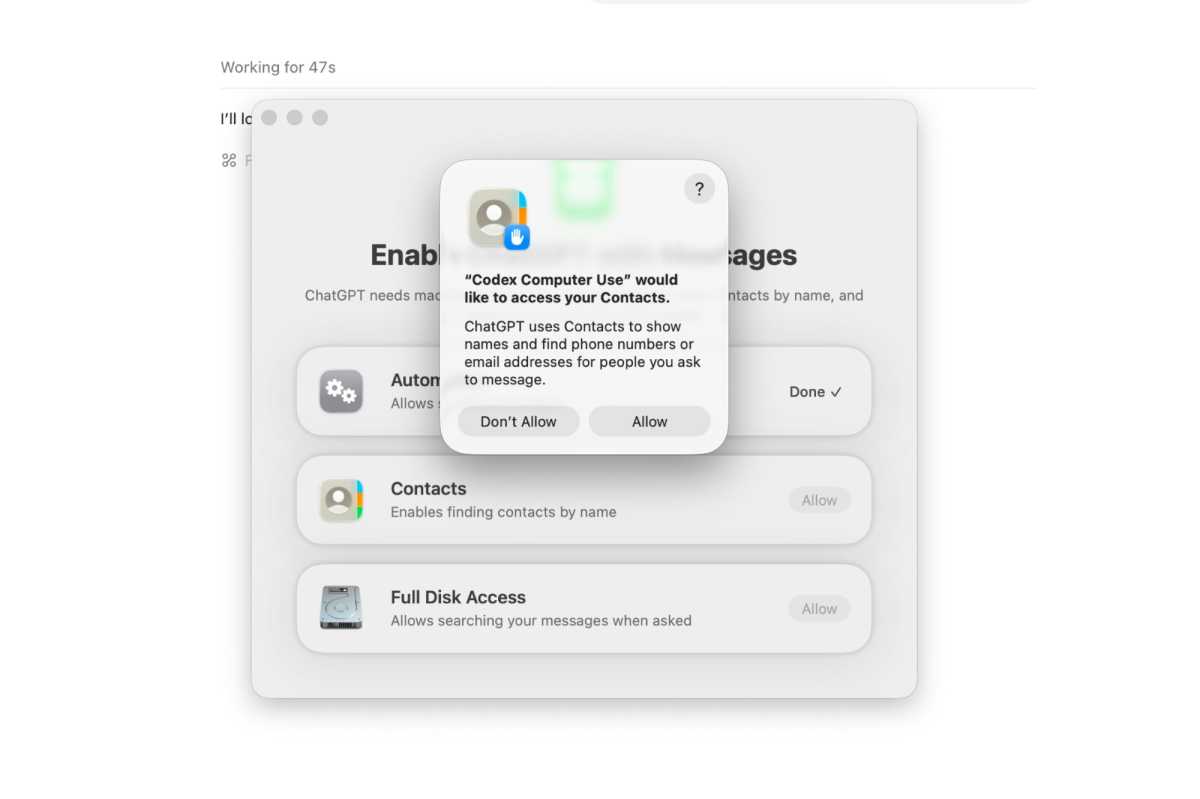
You’ll need to give ChatGPT some wide-ranging permissions before installing the Apple Messages pluging.
Ben Patterson/Foundry
Having granted those fairly extensive permissions to the Messages app (again, I’m not suggestion you do this yourself), I began some light testing. “Tell me about my most recent conversations,” I prompted, and ChatGPT dutifully summarized six of my recent chat threads, including a few with family members as well as one from Verizon and another from Roto-Rooter (they came to fix a leaky drain earlier this week).
I also tried testing the Messages plugin’s ability to send messages, asking ChatGPT to send my wife a “this is a test” message. ChatGPT thought for a moment, and then a model popped up at the bottom of the screen with a draft message and a “Send this to … “ prompt. I clicked Continue, and boom — the message was sent.
