I spent $60 on a VPN. Microsoft paid for half
You’d be insane not to buy your Valentine’s Day flowers—or your next VPN—without taking advantage of Microsoft Cashback, the program that slings bundles of cash at you for using Bing.
Case in point: Over the holidays, I invested about $60 in a VPN subscription. Then, last night, Microsoft dropped $28 in my Cashback account, redeemable via PayPal or as an Amazon gift card. Whoa!
You might be surprised to learn that Microsoft Cashback has been around for nearly two decades now, off and on. It was once called Bing Rebates, and I’ve complained about it before… mainly because there was always some degree of friction in the process. PayPal wasn’t so ubiquitous back then, plus the rebates weren’t that great. But now that Amazon gift cards are an option, I’m singing a different tune.
Microsoft Cashback (aka Bing Deals) is the cousin of Microsoft Rewards, a different program that quietly pays you in points for using Bing, Xbox, and other Microsoft services. Cashback pays you actual cash rebates for purchases you make online. Both Rewards and Cashback require a Microsoft account, which you should already have because Microsoft is basically forcing everyone to use Microsoft accounts now.


I avoided Cashback for years because it always required a PayPal account. I always associated PayPal with buying and selling goods over eBay (not my thing) and PayPal seemed to want my bank account information. I didn’t want to deal with that. Fortunately, now I don’t have to—and Cashback is now easier to use than ever.
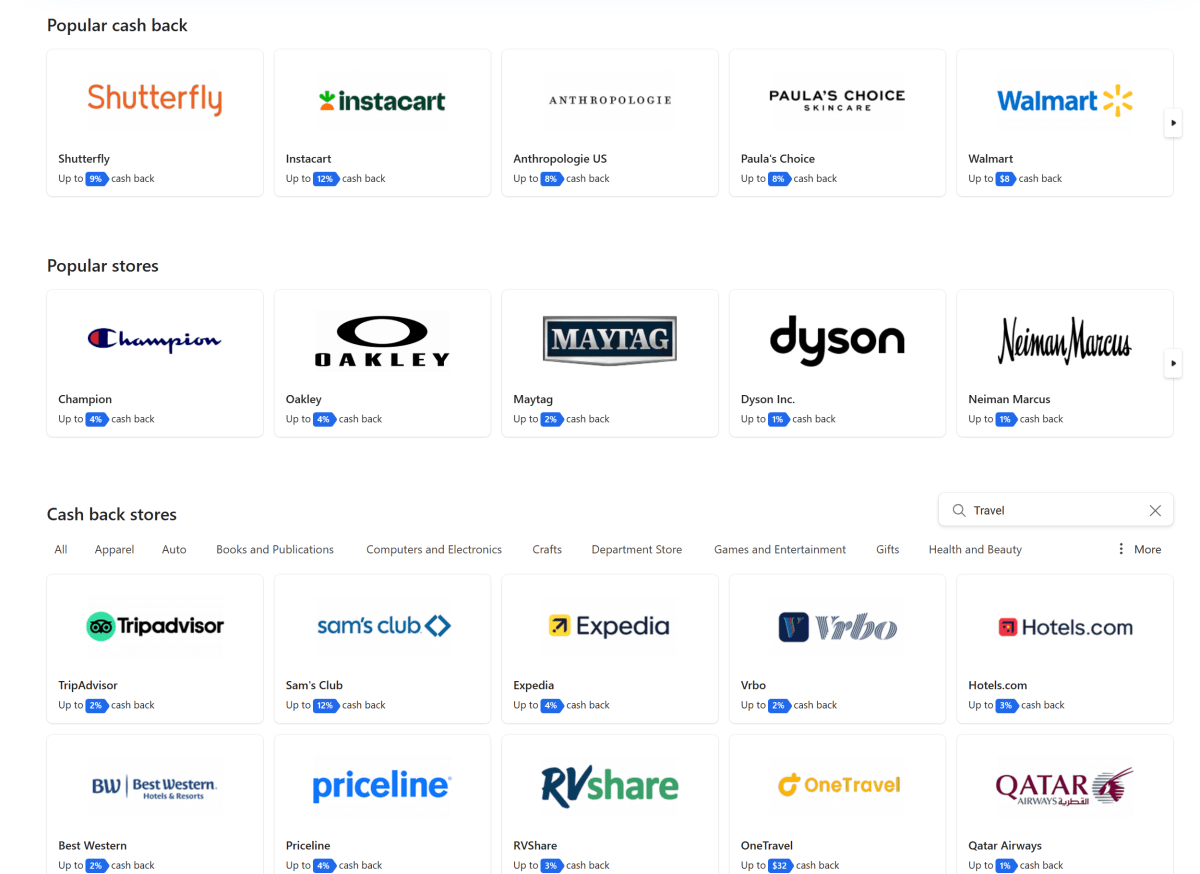
You can use Cashback with whatever credit card you’d normally make purchases with—which means if you earn points or cashback with your card, you can essentially double-dip. Cashback automatically works in the background. There’s nothing to click and no codes to enter. (The only thing is that clicking a retailer’s logo on the Cashback site will trigger an animation confirming that Cashback is activated.)
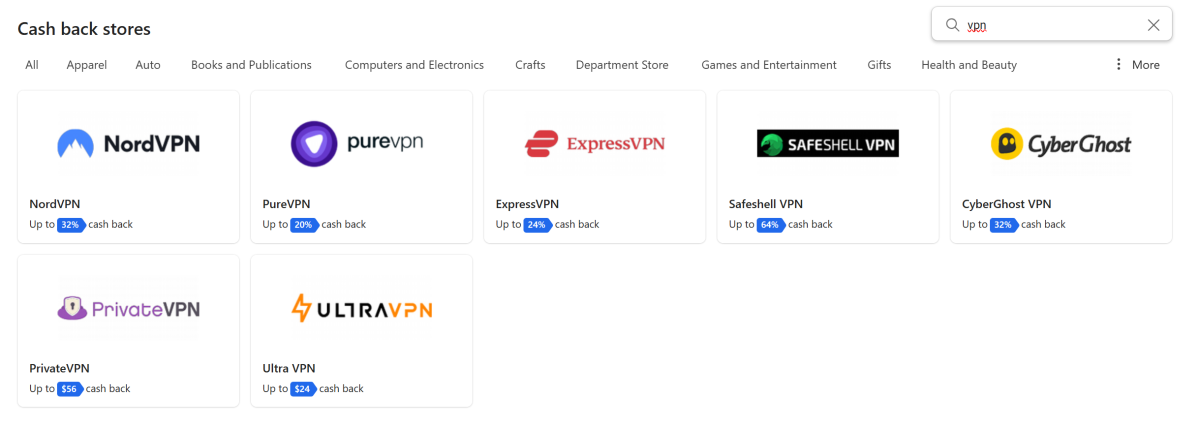
The best part? Certain merchants are absolutely ravenous for your business. See the VPN section in the screenshot below. If you sign up for NordVPN (our top-ranked VPN service), NordVPN itself will give you a discount… and your credit card may add another… and then Cashback will also give you back 32 percent of your purchase as a cash rebate. That’s kind of nuts. As I write this, FTD Flowers is offering 16 percent cash back, too. And if you can find discount codes for your purchase, I don’t see anything stopping you from adding those, either.
Cashback is available from a ton of merchants, most aligned with smaller retailers. But not always! So while Amazon itself doesn’t participate, Best Buy does—and offers 8 percent back. Walmart? Just 8 bucks back. Instacart? 12 percent back up to $10 for new customers. Some categories of products at retailers earn more than others.
How to use Microsoft Cashback
The first thing you need to do is sign up with a Microsoft account.
Is there a catch? The biggest one seems to be that Microsoft asks for you to be signed in to a personal account, and not a work or school account. You also need to be an “active” member of Microsoft Rewards (it’s not clear what that means). You need to enable cookies, too, in your browser.
Cashback also doesn’t happen immediately. It takes Microsoft 30 to 90 days to process, in part to prevent fraudsters from buying something and then returning it to pocket the cash back. If you’re using both Rewards and Cashback, that information should be prominently displayed at the top of your Rewards dashboard.
For now, Microsoft doesn’t seem to be advertising Amazon gift cards as a redemption option. But the option showed up in my Cashback dashboard—and it processed successfully last night.
What I like about Cashback is the ability to double-dip: to use whatever credit card or platform I want for a purchase, then potentially get more cash back on top. Sure, Microsoft is essentially buying your clicks on Bing and Edge… but your credit card is doing the same thing. Why not use them both to save yourself some extra cash?