Welcome to the Boost Mode newsletter. Every week I share my insights on PC gaming, desktop setups, and hardware optimization. I also track down some of the most interesting PC and nerd news from around the web, plus a PC game pick you might not have seen elsewhere. Want this newsletter to come directly to your inbox? Sign up on our website!
Logitech’s MX Master is the pinnacle of productivity mice
That’s easy enough for keyboards and headsets and monitors, but finding the perfect mouse for multiple applications remains frustratingly hard to come by. If anything, I’d say that gaming mice like the newly unveiled Razer Naga Pro V3 are better suited to this. Gaming mice are better at work than work mice are at games. They’re more flexible and versatile, and have higher performance. The only real downside is that if you’re using a wireless mouse for hours of gaming a week, you’ll need to recharge it more often.

Eugen Wegmann
But if there’s any “regular” square peg mouse that someone might be tempted to shove into a round multi-function hole, it’s the MX Master. Logitech’s flagship is generally agreed to be the king of standard PC mice, and has remained so since its initial model succeeded the MX Revolution over a decade ago. This mouse is so beloved that it’s often spotted on high-end Mac setups. And if Apple fans are willing to ditch first-party hardware, you know it’s good.
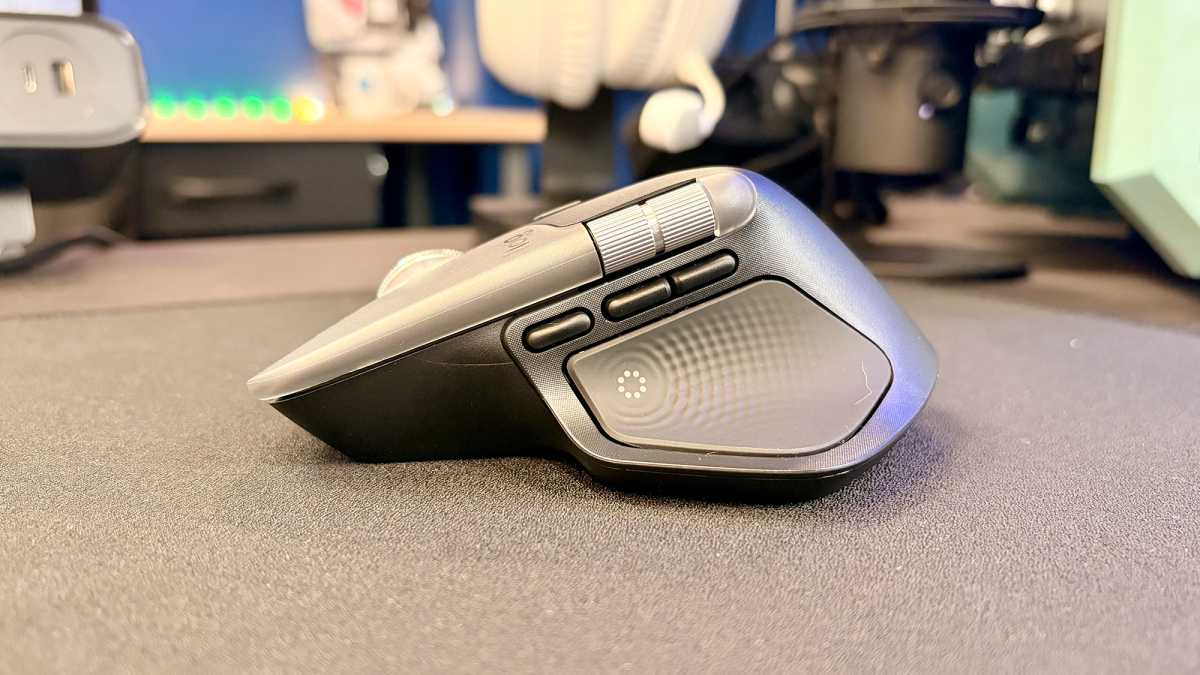
I’ve used MX mice before, but for various reasons tend to go off them, for the aforesaid Razer Naga or a cheaper alternative. The MX Master 4 caught my attention, because it adds one more button…which, combined with that distinctive side wheel, brings it up to my required seven extra buttons in addition to the primary left, right, and scroll wheel.
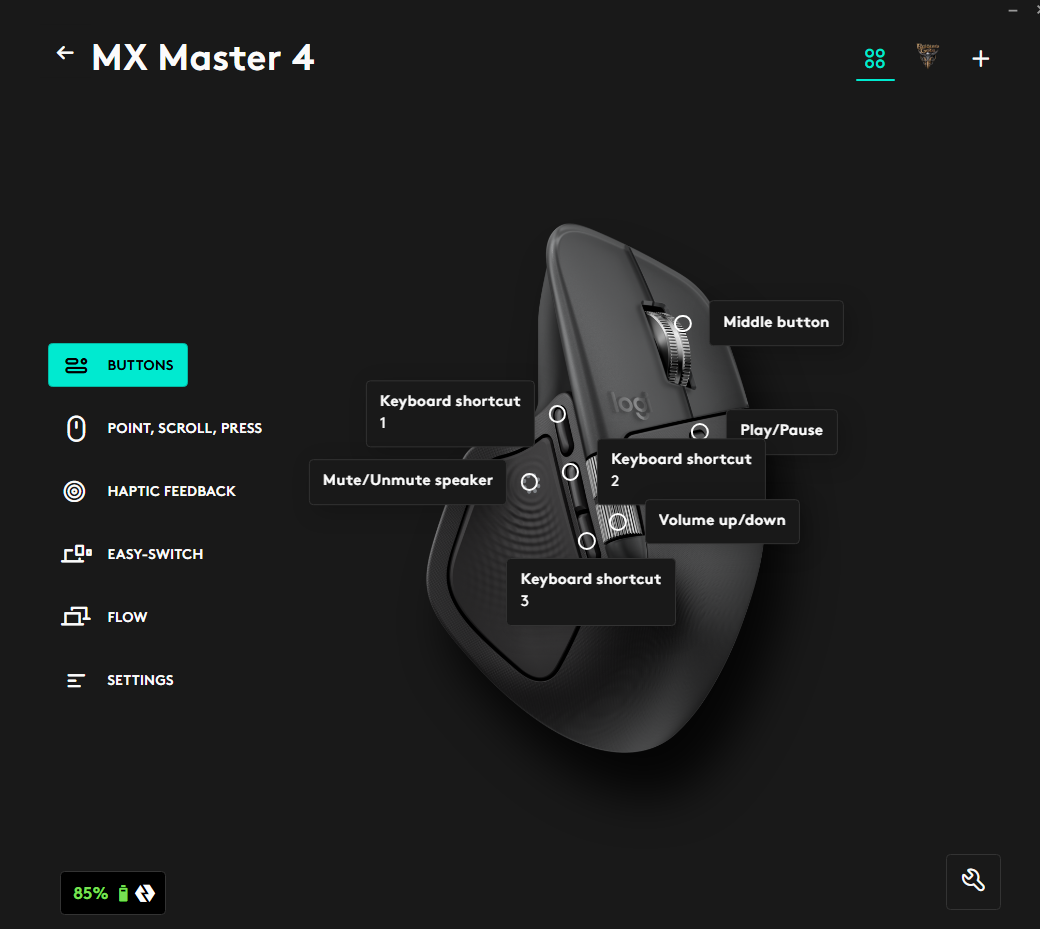
Wait, what? I need seven extra buttons on a mouse? Yes. Here’s how it goes. I use my mouse as my primary media management tool, plus extra buttons for gaming. So I like to have buttons for volume up and down, play/pause, and mute. That’s in addition to gaming buttons, and I prefer three of them. In a typical action game that’s melee, throwable or special attack, and one more — I often bind that one to a map, for example.
So that one extra button on the MX Master 4 is a big deal for me, specifically. It allows me to set those three long buttons for game functions, the haptic button on the base for mute, the button above the primary wheel as play/pause, and the side wheel as volume adjustment.

Logitech
This is weird, yes. It’s also kind of ignoring the action wheel, Logitech’s big push to expand the MX Mouse’s functionality more or less indefinitely. Anyway, that’s how I use mice — I use equivalent layouts on the Razer Naga (six buttons on the side) and Solakaka (three on the side, plus four more on top).