I’m left with the impression that the existing Google Chromebook lineup does everything more effectively for less money. It feels like it was rushed to meet a deadline, when the whole experience could have simmered for a few more months while everything came together.
Table of Contents
Lenovo Googlebook 15: Specifications
- Model: Lenovo Googlebook 15
- OS: Googlebook OS
- Processor: Intel Core Ultra 5 325
- Graphics: Intel Graphics
- Memory: 16GB LPDDR5X
- Storage: 256GB-512GB PCIe Gen 4 SSD (512GB as tested)
- Display: 15.3-inch (2880×1800) OLED touchscreen, 120Hz
- Brightness: Up to 500 nits
- Camera: 5MP IR camera with facial recognition and manual privacy shutter
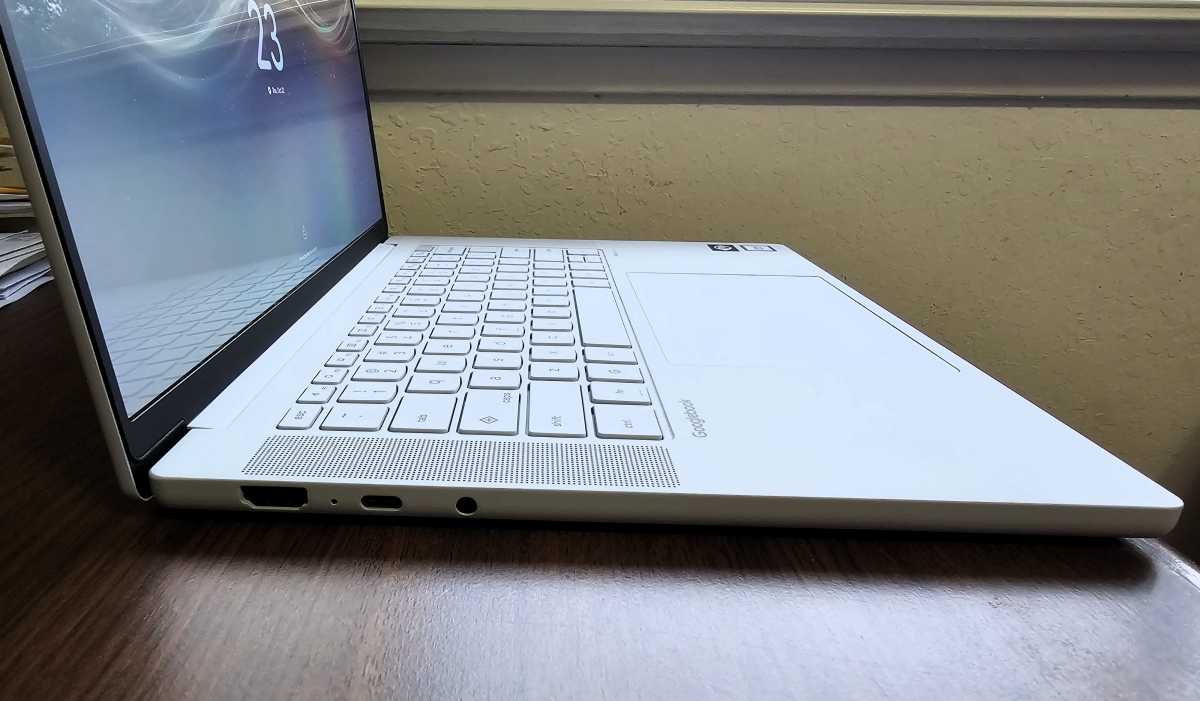
- Ports: Thunderbolt 4 40Gbps (2), HDMI 2.0, 10Gbps USB-A, 3.5mm headphone/mic jack
- Battery: 70Wh
- Wireless: Wi-Fi 7 2×2, Bluetooth 6.0
- Charger: 65W USB-C GaN adapter
- Dimensions: 3.43 × 9.29 × 0.63in
- Weight: 2.84 pounds
- Price: $1,099.99 to $1,149.99 ($1,149.99 as tested); Lenovo includes its “AI Mouse” in the box
Lenovo Googlebook 15: Design and build quality
Lenovo’s opening message is that this Googlebook is different. It makes that clear through the “gray” (white, really) colorway, which also appears on some IdeaPad consumer laptops.
Two design cues stand out. The underside of the keyboard features a ripple effect that differs from the usual flat surface. On top, Lenovo and Google have included the Glowbar, the evolution of the “lightbar” found on Google’s earlier Chromebook Pixel from a decade ago. On that device, a hidden feature allowed the lightbar to function as a battery gauge. On the Googlebook, that functionality is now a full-fledged feature, with a green bar indicating a battery level above 60 percent.

Mark Hachman / Foundry
I vaguely recalled that the Chromebook Pixel had included a lightbar, so I went hunting to confirm. What I found were just reminders of how sturdy the Chromebook Pixels and Pixelbooks were, prompting comparisons to the MacBook. Lenovo’s GoogleBook 15 reminds me very much of the ceraluminum-based Asus Zenbook, whose plasticky construction detracted from an otherwise excellent design.
Nothing really feels particularly special here, although there’s nothing particularly bad, either. Setup was a relatively quick process.
This Googlebook seems to recline slightly further than most Windows laptops (about 35 degrees off of the horizontal). The middle of the keyboard tray noticeably sags if you press down in the middle of the keyboard, though that doesn’t affect typing. The lip from the webcam enables this Googlebook to be easily opened with a single finger.