
Microsoft Edge’s ‘AI brain’ tries to solve a problem tha
Summary created by Smart Answers AI
In summary:
- PCWorld reports that Microsoft Edge’s new AI-driven ‘Journeys’ feature is replacing traditional browser history with AI summaries that often omit direct website links.
- This change frustrates users by hindering their ability to find specific previously visited sites, removing the autonomy provided by conventional browsing tools.
- Microsoft is also discontinuing the useful ‘Collections’ feature in favor of this AI-centric approach, representing a step backward in browser functionality.
There’s a school of thought that says that “AI brain” is a real thing, where AI quietly removes the traditional need to think through a problem. In this context, Microsoft Edge’s AI-brain problem just got a lot worse — and it’s actively blocking your ability to get things done.
Microsoft began rolling out substantial updates to the Edge desktop and mobile browser today, and yes, they obviously prioritize Copilot. Some of these feel familiar; didn’t Google launch automated quizzes and podcasts months ago? But Copilot isn’t just being added to Edge. It’s actively taking over portions of Edge that humans used to manage themselves, specifically the nearly infinite list of sites that you’ve browsed as part of your browser history.
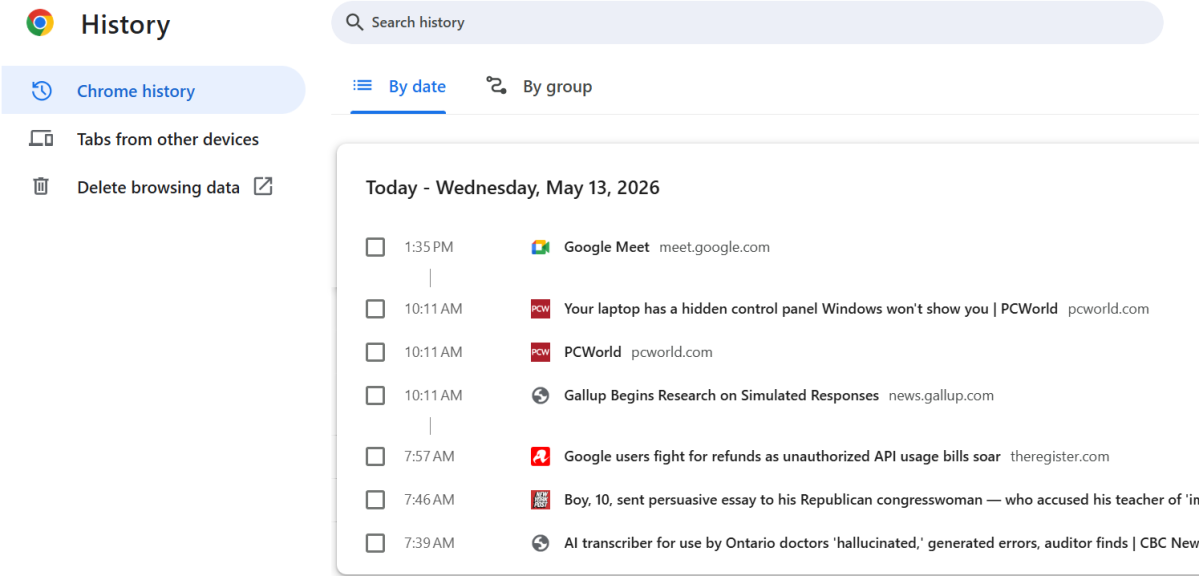
That’s both good and bad. Most people absolutely refuse to manually pore over the list of websites that make up a browser’s history in search of a specific site or topic, and who can blame them? Google’s Chrome browser allows you to search your browser history for a specific site or topic, which feels like a good compromise.
Microsoft has taken this a step further, and outsourced the task to Copilot. You’re not searching your browser’s history. Instead, Edge now uses the Copilot AI function to search out the sites and tabs you previously browsed, and then summarize them — all using AI, which is notorious for not linking sites.
And in fact, that’s what you’re going to get. Microsoft calls this “Journeys,” and it’s designed to help you pick up where you left off. Various browser makers and search engines have wrestled with this problem: What happens when you begin researching a topic, then get called away? Most browsers share tabs between your smartphone and desktop. Alternatively, you can create tab groups and store them for a future occasion. Microsoft even solved the problem in 2019 with a feature called Collections, in which you could group and store tabs in a sidebar for later use. But oops! Microsoft indicated in January that it would kill Collections later this year, even though it currently remains part of the present browser.
(Clarification: Journeys doesn’t appear to be opt-in, but Microsoft also says that it can use your browsing history to “deliver more relevant, higher-quality answers with your permission.”)
All of these solutions, however, aggregated the tabs themselves. Journeys doesn’t. Edge’s new tab page may suggest that you resume “recent browsing” for (as an example) cross-stitch guides. The result Microsoft shared auto-generated a Copilot prompt for “Summarize the most beginner-friendly projects offered across these pages,” then began pumping out an AI summary without any link in sight. Now I have to stop, search, and try to find what I was looking for previously. How horribly unproductive that is!
(Do you hate the term “Microslop,” Microsoft? Because this is how you get labeled that.)
To be fair, I can see some advantages in a related feature. You now have the option of adding specific tabs to a Copilot query, and the example Microsoft chose is a good one: You’ve done some of your own research, narrowed down a few choices, and want some AI input to help you make a final decision. In this case, the user is leading the discussion, and allows Copilot to provide assistance. Some might want Copilot to make all the decisions in the process, but again — AI brain. Why wouldn’t you want humans and AI working together, with humans making the final call?
What Microsoft doesn’t really tell you is that all of these new features are aligned with Edge’s new tab page, which has traditionally looked a lot like the crazy quilt of content that is Windows’ widgets, a collection of stock, news, weather, and random celebrity data. What Microsoft is trying to replace that with is a world where (a bit like Google) topics of interest are synthesized, cobbled from information pulled from a variety of sources. I’ve already caught Copilot making some dubious claims not backed up by the somewhat-dubious sources that it pulled from. (Yes, I know I can manage that information, but do I want to? It’s exhausting.)
Microsoft is very proud of the fact that these new AI announcements are accompanied by “long-term memory,” which feels like a very AI-specific term that speaks to various techniques to resurface tokens and the like. But we have a solution to this problem, and we’ve had it for years: Just write the damn URL to a file, and store it on the user’s PC.
Otherwise, Microsoft’s big Edge announcements feel very familiar, with Copilot Vision and Voice finally arriving on the mobile version of Edge. (Google Lens debuted eight years ago, Microsoft!) You now can create quizzes for students to test themselves on web pages, create podcasts, and more — again, what Google has been able to do for some time.

Microsoft’s cyborg-ization of Edge, where AI is taking over some of the traditional “human” parts of the browser, isn’t what makes me turn up my nose. I can appreciate AI tools that save me time and mental effort, such as the software that maps out directions for my car. But ultimately, I can create my own shortcuts from A to B.
From what I can see, Microsoft’s new Edge Journeys appear to strip out all autonomy. It’s a direction that Microsoft originally promised that it would reverse course on. So why has it continued?
