Table of Contents
At a glance
Expert’s Rating
Pros
- Hyper focused on security
- Easily navigable, improved interface
- Relatively affordable yearly plans
- Free 3GB plan
Cons
- No revisions or trash
- macOS client removed
- Limited preview and no editing capabilities
Our Verdict
NordLocker is by far the most security-Conscious online storage service I’m aware of — exactly what I’d expect from the purveyors of NordVPN. It’s also very affordable by the year, and as of our latest review, a lot faster and easier.
Price When Reviewed
This value will show the geolocated pricing text for product undefined
Best Pricing Today
Price When Reviewed
500GB: $36/yr I 2TB: $84/yr
Best Prices Today: NordLocker Online Storage
In my original review of NordLocker, I was impressed from the get-go with its hardline attitude toward securing your data. Non-optional encryption, strong rules for the dual passwords….You name it, it’s there — exactly what you’d expect from the purveyors of NordVPN.
That said, this latest release isn’t quite as obsessive about its mission (no local encryption). I kind of miss that.
Regardless, throw in affordable yearly plans and you have a short-lister for the security-conscious user.
Further reading: Best online backup services
What are NordLocker’s latest features?
Formerly, NordLocker used lockers, or encrypted blobs (their word, not mine), that you first had to create before storing files in them. They were a tad ungainly in understanding and operation, though easy once you were at home with the concept.
The locker system has been replaced with the more common free-form, virtual file/folder-based interface that we’re familiar with from other services such as Dropbox, One Drive, Google Drive, etc.
NordLocker still offers a browser interface, but there’s a new Windows background client that creates the aforementioned virtual folder you can drag files to.
The virtual folder handles said files just like Windows: Files dragged from the same drive are moved to the NordLocker folder, while files from other drives are copied. Inside the NordLocker folder you can right-click and select whether you want the file to remain local, or exist only online.

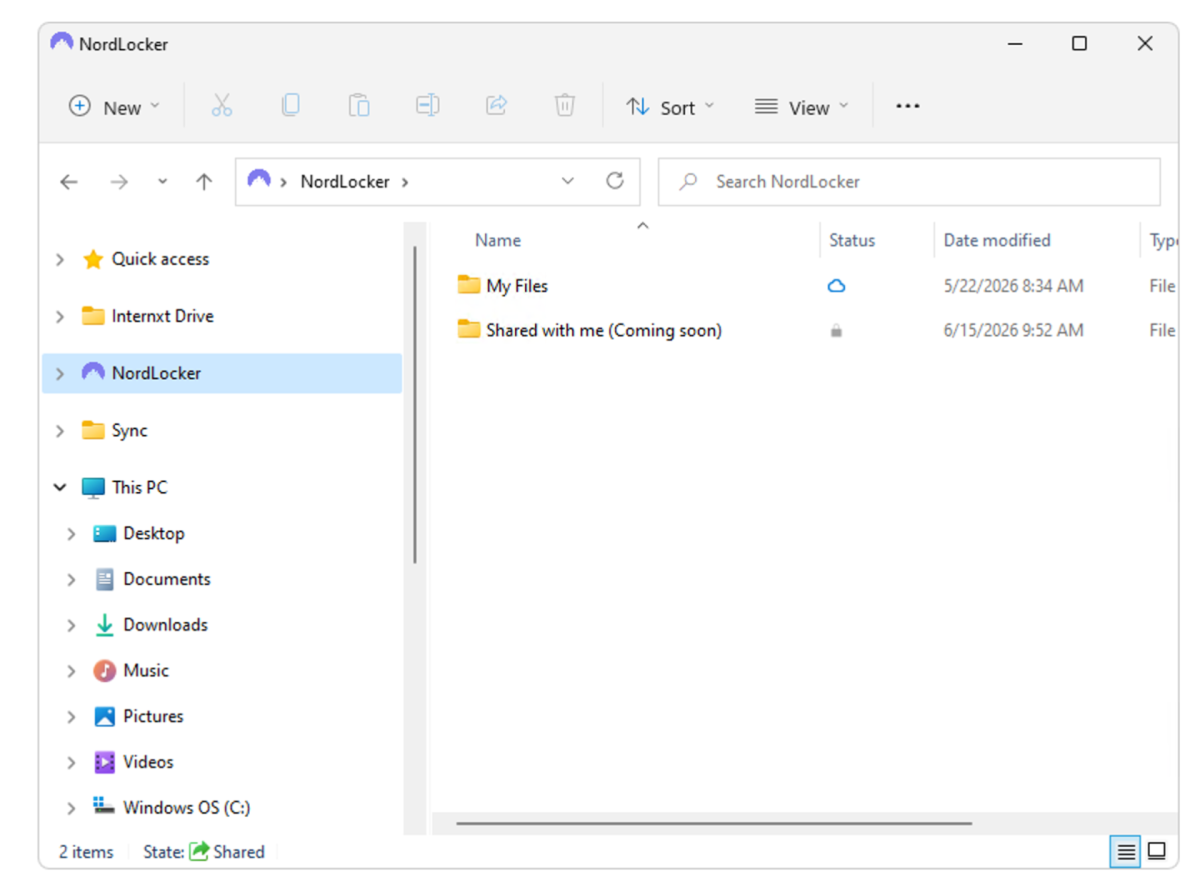
Inside the NordLocker folder you’ll see small icons to the right of the file name that indicate a file’s status: synced, secure, uploading, or online. Double-clicking on an online file downloads it for editing.
Missing in action from this release, however, is the context menu “Backup” function, which basically uploaded a file to NordLocker online. The “Only online” option serves the same basic purpose, albeit with the extra step of getting the file to the virtual folder.
Also gone is the macOS client I used for half of my testing last time. A new version was said to be in the works, but for now Mac users are relegated to the admittedly, more-than-adequate browser interface. And truth be known, that’s what I prefer.
Finally, there’s no longer any NordLocker local encryption of data, with the reason as explained to me being that Windows now encrypts local drives by default. Makes sense, I suppose, but Windows has had optional encryption for a long time.

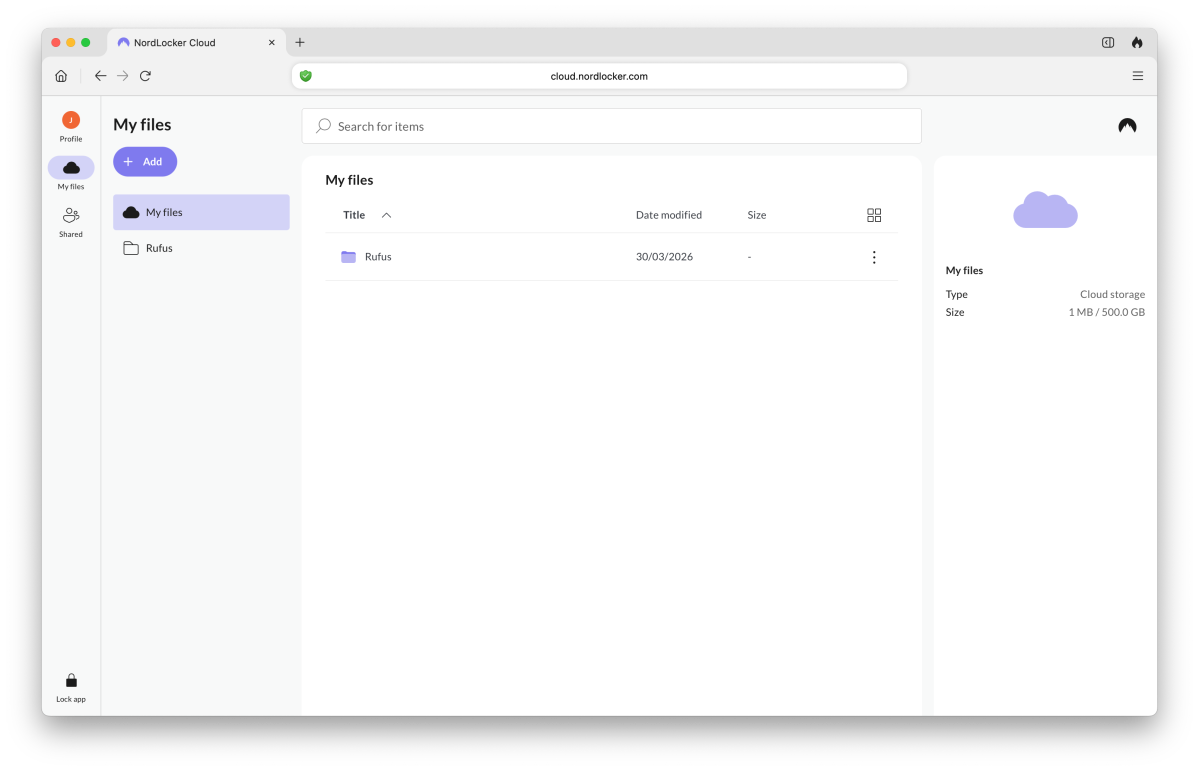
The new (to NordLocker) methodology is a byproduct of completely reworked infrastructure using a journaling approach (changes are added to a “log” or journal. The company claims a ten-fold improvement in performance with multiple file transfers benefiting greatly. I never noticed any issues in my previous hands-on, but apparently at scale there were complaints.
Despite no longer exactly describing the methodology, the NordLocker name has been retained. After all, it still broadly describes the concept of uber-secure online storage. Speaking of which.
What are NordLocker’s main features?
Unlike other services that also offer secondary or two-key security, NordLocker requires it. You must define both an account login password and a storage encryption password when you first access NordLocker.
NordLocker provides a downloadable recovery key that you can employ should you lose or forget the encryption key. Nice. That’s a first for me with consumer-oriented services. Make sure you download it and save it to a safe place.

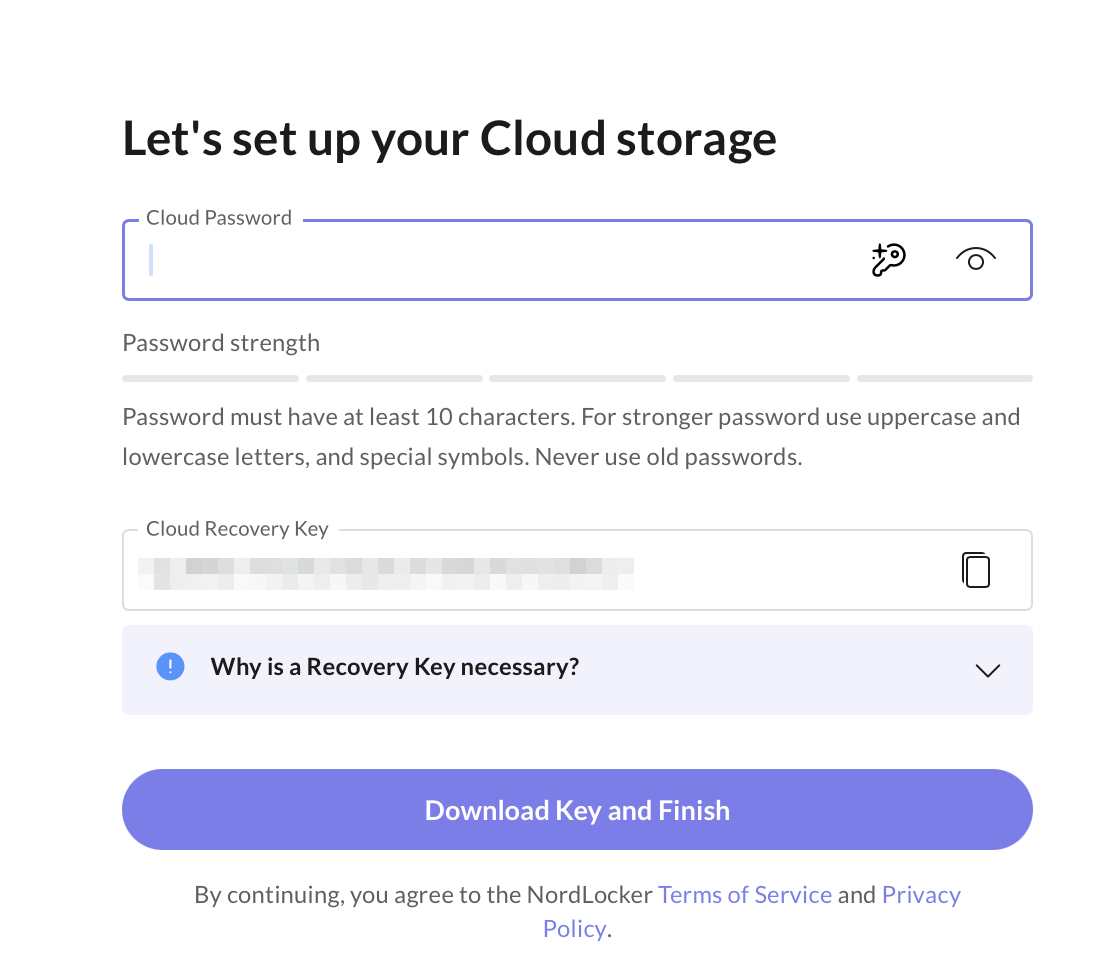
Further, you can automatically lock the apps after a definable period of time so that you must enter the secondary password whenever you run the client or visit the website. The website also disables browser automatic password entry for the secondary password (not the log on) — you’ll need to type it in.
I thought I might be wincing in security pain from all this, but I acclimated to it quickly and grew to appreciate it. Note that I’m generally not a fan of the modern two-factor security that bad people have forced us into.
There are still clients for Android and iOS. Both are attractive, quick, and stable. They also now use a “light” (white background) mode, though “dark” mode is still available if you prefer it.
NordLocker provides a downloadable recovery key that you can employ should you lose or forget the encryption key. Nice.

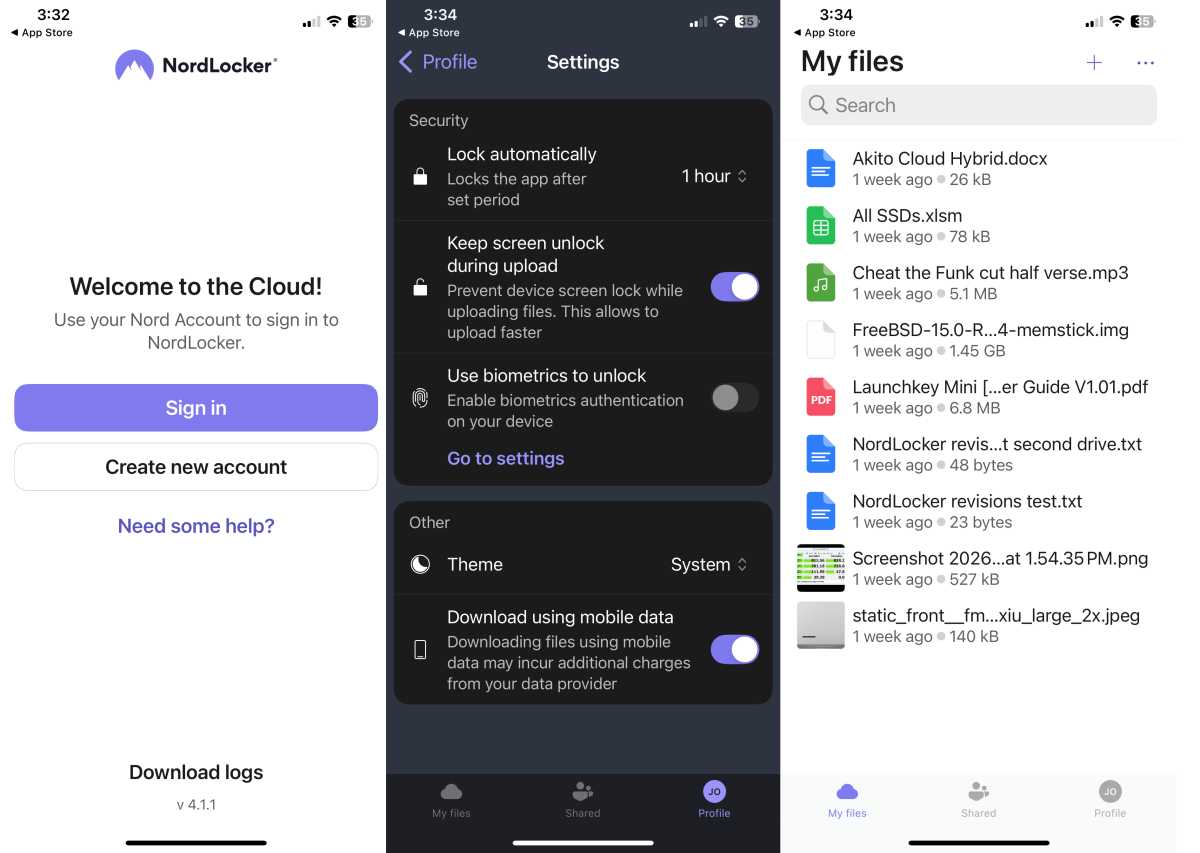
Unusually, NordLocker uses your phone’s browser to connect the clients to your account. I’m not sure exactly how this is more secure. Note that you may need to set Chrome as your default browser for this to work on Android. DuckDuckGo did not work for me on that platform.
I’d love to be able to show you screenshots of said Android client, but NordLocker is so security-conscious that they disable the ability to share screen caps. As you can see above, they didn’t manage the trick on iOS.
NordLocker’s service offers only a few amenities. Sharing is of course available, and it’s also more secure than most — generating a security code to accompany a link. Newly, users may now toggle the security code and set a custom expiration date for these links.

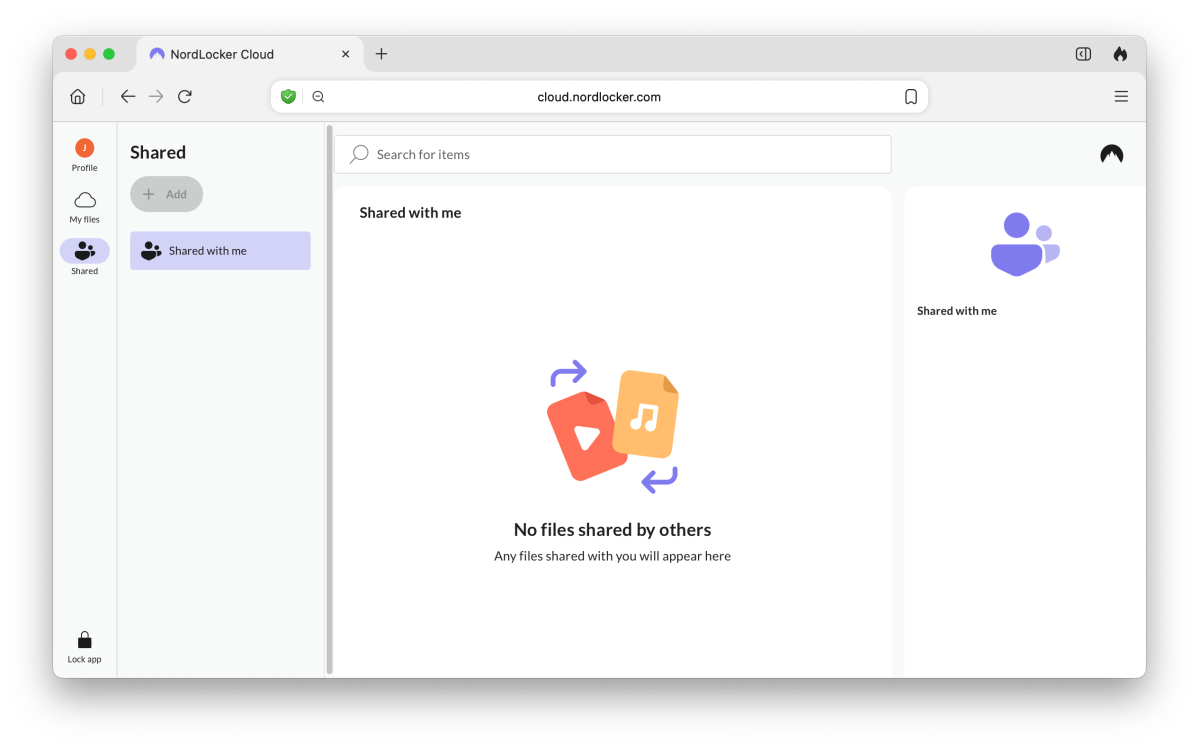
Online file viewing is available for a few static file types such as Word documents, PDFs, and images (.jpg, .png), but not audio or video. A bit flummoxing was no preview for the simplest of file: .txt.
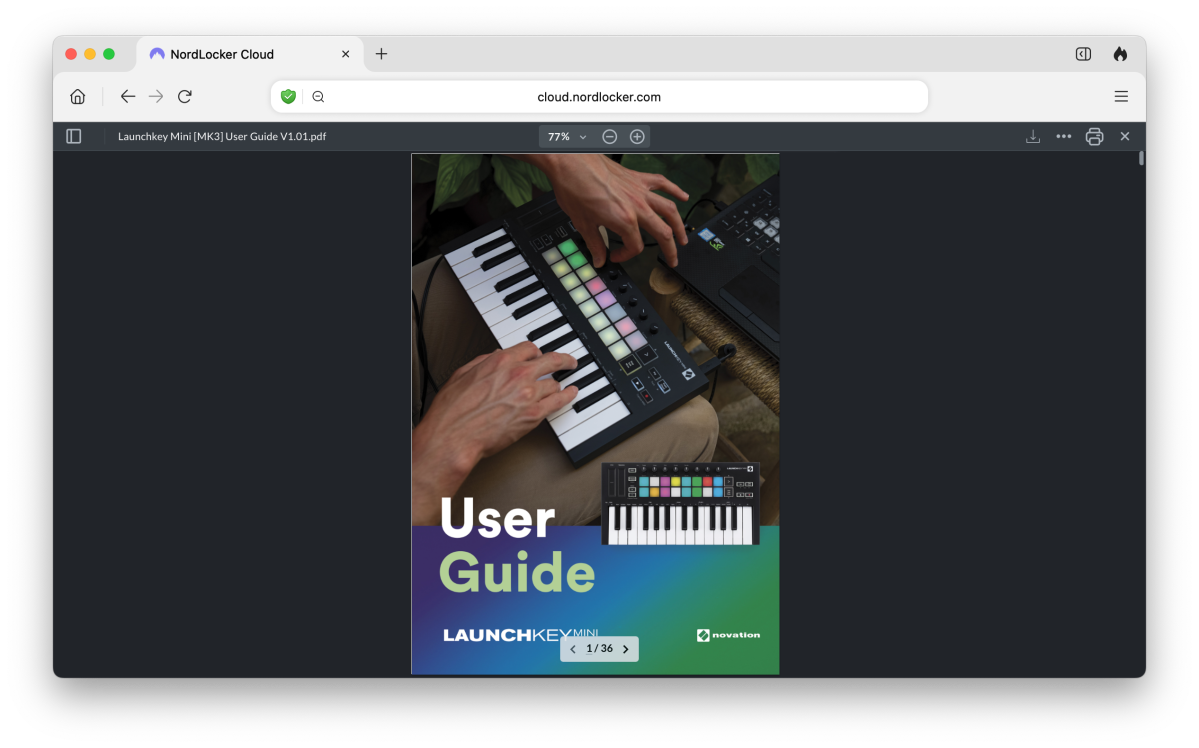
Note that audio and video file viewing is quite often buggy, or painfully slow even with online services that provide the capability.
There is zero online editing, but you can allow other NordLocker users access (formerly defined as “Editors”) so they can download and edit files. There are also file requests so you can create links for others to upload files to your lockers.
What are NordLocker’s peccadilloes?
While NordLocker does a magnificent job of protecting your data from bad guys, it’s not nearly as adept at protecting you from yourself. The biggest issue currently is that there’s no versioning, no trash, and no undo.
If you happen to delete a file on the web or in the client in a two-way sync folder, you’re outta luck getting it back. This lack is the reason the service gets a 4 and not a 4.5 verdict. The company informed me a fix was on the way, but that was two years ago, and still no dice. Get ‘er done, guys!

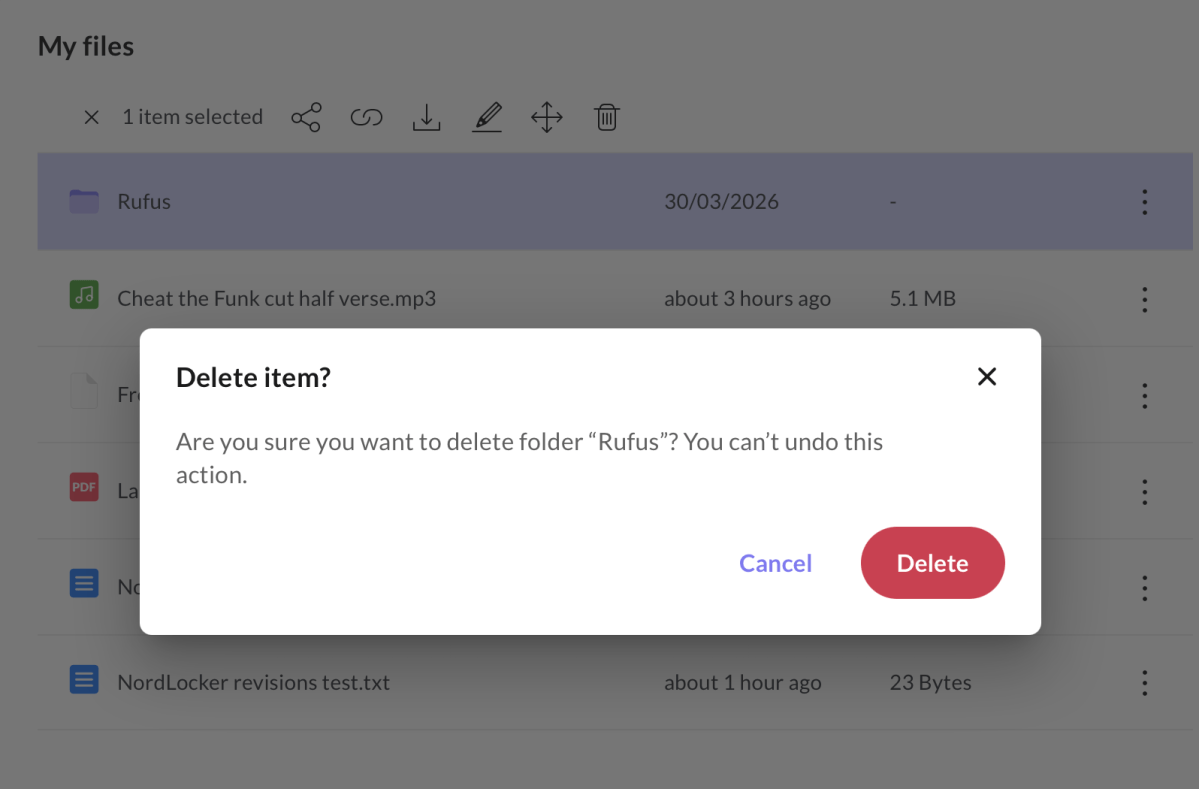
The other “drawbacks” are the relatively small set of file types that may be previewed and the lack of document editing. But that’s also rather unfair as NordLocker makes no pretense about being an online office suite — its gig is secure storage.
On a purely personal note, I liked NordLocker’s unique former approach. I’m not a fan of virtual drives and folders that act like standard Windows folders — right up until they do not. Virtual folders also force you to use them for things you want backed up, and waste space if you’re dragging files from other drives or locations. That goes for One Drive, Dropbox, and the lot.
Carbonite, with its context-menu integration that leaves files where you want them, remains the gold standard of online backup interfaces in my humble opinion.
How much does NordLocker cost?
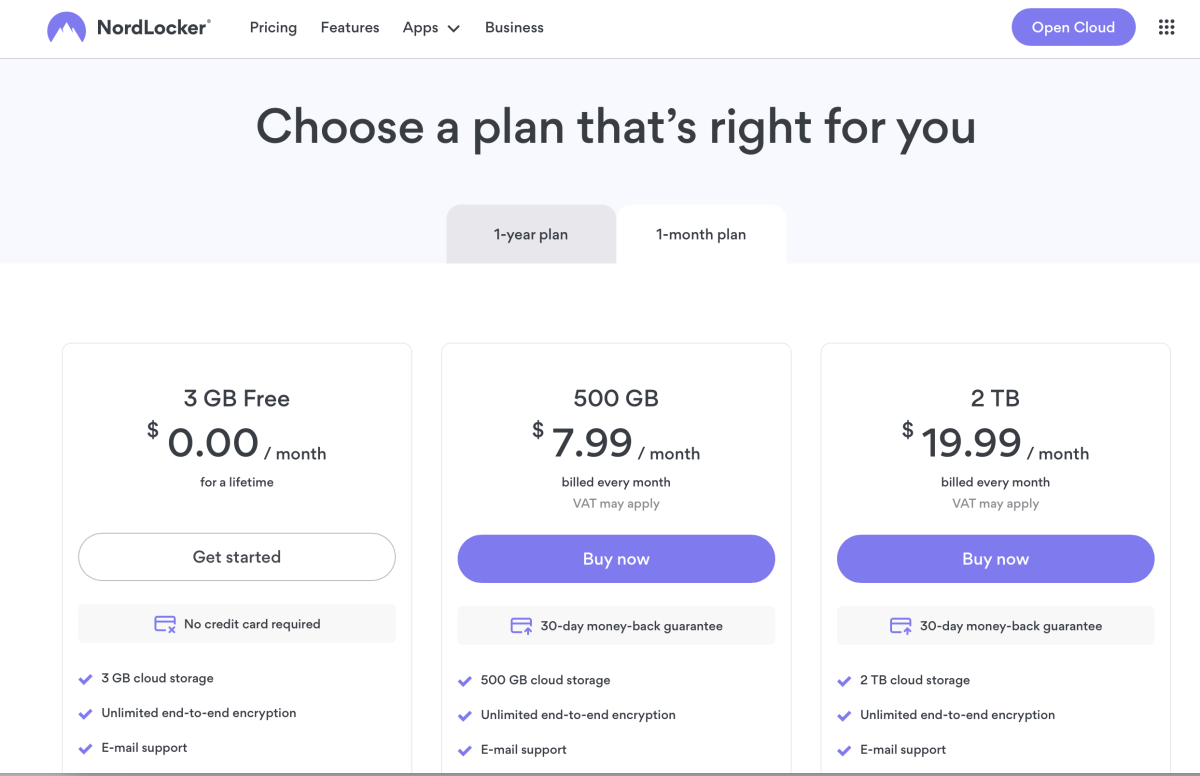
As of the writing of this article, NordLocker was offering a steep first-year discount on its $83.88/500GB and $179.88/2TB plans, to the tune of $35.88 and $83.88, respectively. To reiterate, that’s the first year only. After that, you pay the higher rate.
NordLocker also offers a free 3GB plan (sweet!), as well as $8/500GB and $20/2TB monthly plans.

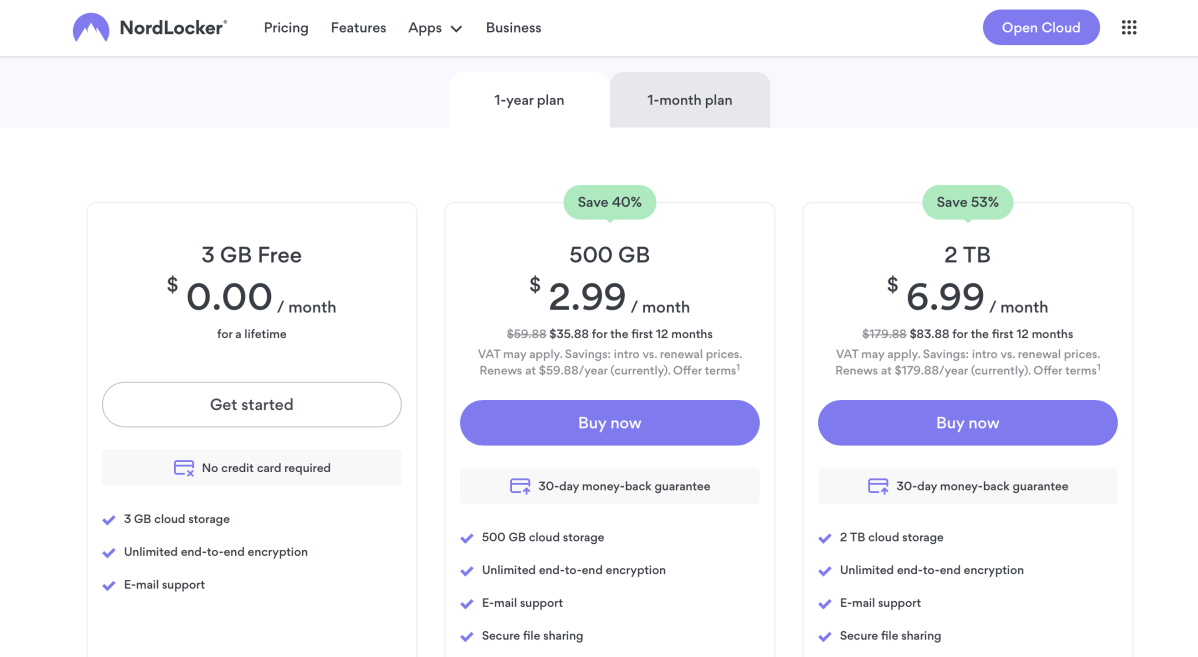
In the grand scheme, Nordlocker is neither outrageously expensive, nor fantastically cheap.

How does NordLocker perform?
In my first test, I was impressed with how fast files and folders uploaded and became available on all my devices. Usually, there’s a few minutes of lag on the clients. This may have something to do with the infrastructure between the server and my residence in San Francisco, but NordLocker was way quicker than most — encrypted lockers or no.
This time around, I was even more impressed with the speed. Multiple file uploads, especially to the browser interface seemed quite a bit quicker. I was never subjected to the slowdowns with large data sets that some users apparently reported, so I can’t testify that those have been cured with the new engine.
Uploads from the Android and iOS apps also seemed quite a bit quicker, and the Android version now allows you to select multiple photos. Sweet.
Should you buy NordLocker?
NordLocker is decently affordable, super secure by default, and now much easier to use. As long as you’re aware of the dangers of pure two-way sync with no trash, I highly recommend it. A more secure-from-bad-guys service you won’t find.
Editor’s note: Because online services are often iterative, gaining new features and performance improvements over time, this review is subject to change in order to accurately reflect the current state of the service. Any changes to text or our final review verdict will be noted at the top of this article.