
SteelSeries Sensei Pro review: A top-tier mouse, almost
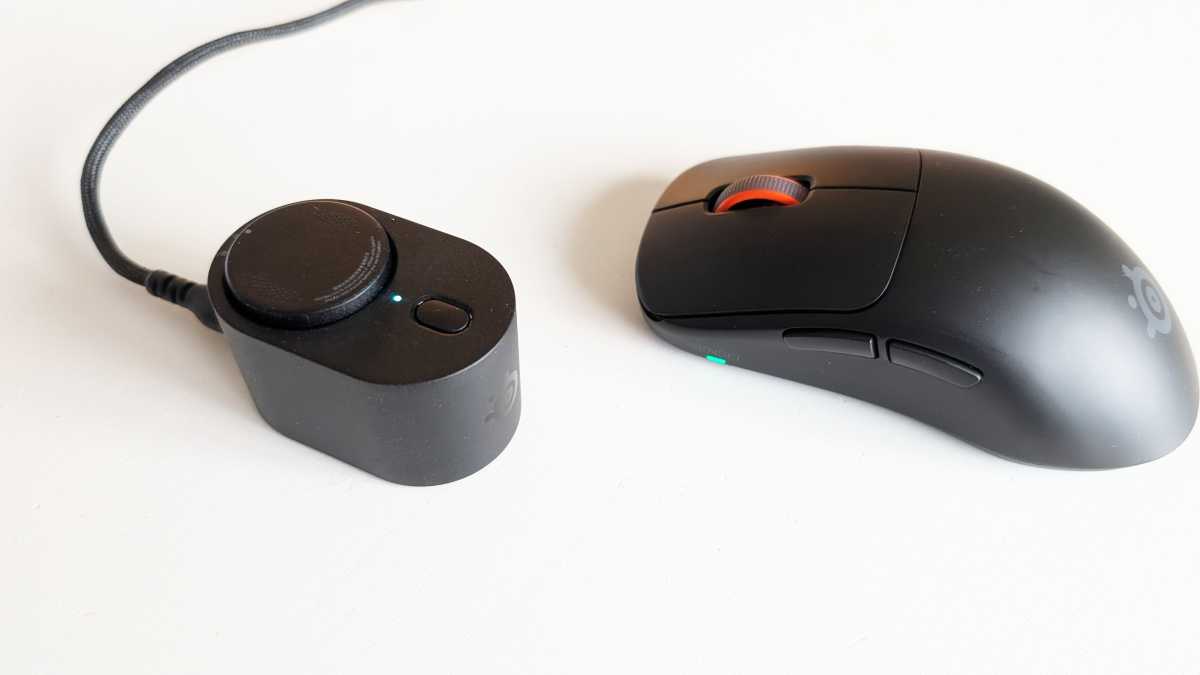
You place the second battery in a USB-powered docking station, where it can be charged whilst you’re using the first one. When the battery starts to run low, the mouse alerts you with a flashing LED, allowing you to quickly swap it for a fully charged one. This means you can essentially enjoy endless battery life with the mouse, minus the half-minute it might take to change the battery. The process is very easy and very quick.
Is it more convenient than having a built-in battery and plugging in a USB-C cable every now and then to charge while it’s in use? Maybe. Maybe not. But you don’t have to worry about the mouse having a tail that restricts your freedom of movement and affects precision.
Mattias Inghe
SteelSeries Sensei Pro: A new approach to wireless connectivity
A single charge is said to last for 16 hours in performance mode, which means a high polling rate of 8 kHz (the mouse can handle up to 9 kHz with so-called over-polling). That seems about right. It’s perhaps best suited to e-sports players who need extreme precision or professional graphic designers who want a level of accuracy beyond the ordinary. If I switch to a more modest 1 kHz polling rate, the battery life increases to around 60 hours, according to the specifications.
The other new feature is that it doesn’t communicate via a 2.4 GHz RF signal or Bluetooth at 2.4 GHz, like almost all other wireless mice. Instead, it uses the new Ultra Wideband (UWB) technology, and the charging station also acts as its receiver. Plug it into a computer to power the charger, and the mouse will automatically connect.
UWB is a wireless standard primarily designed for short-range positioning, and it is also used in some other devices, such as electronic car keys. Here, it utilizes a high frequency of around 6 GHz and, as the name suggests, greater bandwidth per channel to transmit data more quickly.
This gives you the benefit of a very high polling rate and even shorter response times than is possible at 2.4 GHz. It’s also much less susceptible to interference. At 2.4 GHz, you have to contend with other Bluetooth devices and even Wi-Fi for the same radio spectrum. You’re largely spared that here. Not that I’ve ever found it a problem, but who knows – there might be situations where it makes a noticeable difference.
