Summary created by Smart Answers AI
Table of Contents
In summary:
- PCWorld recommends replacing traditional laptop chargers with GaN chargers like the Ugreen 160W Nexode Pro for more efficient travel packing.
- Most modern laptops can charge via USB-C, allowing one GaN charger to power laptops, phones, and tablets simultaneously with multiple ports.
- This switch reduces travel weight and bulk while providing superior power output, though gaming laptops still need proprietary chargers for peak performance.
Do you still bring your laptop charger with you on business trips? I just realized that I do, and it’s a habit I need to break.
I have the option of carrying a mouse, though I can use my laptop’s touchpad for navigation. Likewise, a USB-C hub gives me extra ports. But thirty years of covering tech has me treating my laptop charger as an absolute necessity — how else will I get power?
That line of thinking is sort of outdated. You still need a laptop charger on the road. You just need a better one.
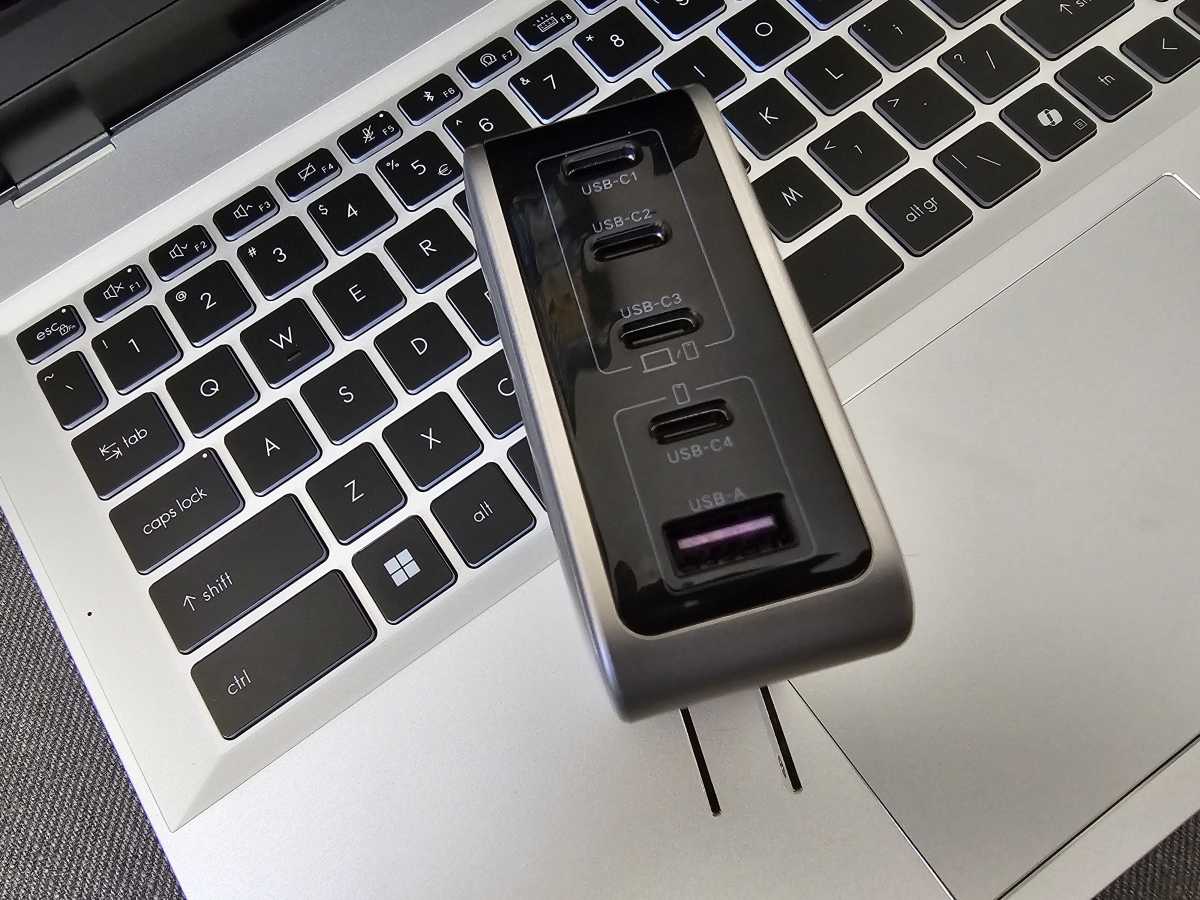
I recently recapped ten travel gadgets that I either bring on business trips or recommend to others, including this $65 Ugreen 160W Nexode Pro GaN charger. I’ve purchased these chargers for my sons as backup chargers, but their real strength is their versatility. They have enough juice to keep laptops, phones, and even a tablet all powered up at the same time. Even if the laptop comes with a proprietary barrel charger (like Lenovo’s latest IdeaPad does), the vast majority can also charge via USB-C.
Increasingly, the idea that you need to bring your laptop charger feels like a myth ready to be busted. It’s a little like 2019, when you stopped needing to pay for a third-party antivirus solution, when Microsoft Defender became good enough to protect your PC on its own. Until then, buying an annual antivirus or antimalware subscription wasn’t just a habit, but a necessity. It’s not now.

Mark Hachman / Foundry
To be fair, there are some cases where you’ll absolutely need to stuff your laptop’s power brick in your bag. Gaming laptops can be charged via USB-C, but not at the power levels needed to keep the CPU and GPU running at full power during a prolonged gaming session. I can’t guarantee that even a 240W GaN charger powering a laptop’s 240W Thunderbolt 5 port will be enough to sustain a high-end laptop at peak performance. At that point, you’ll be pulling power from both the charger and the laptop’s battery, slowly draining it.
Still, I’m having trouble justifying why I keep bringing the OEM charger along. As a security blanket? Maybe. But it’s just extra weight, and a multipurpose GaN charger simply does more.
Is a GaN charger the perfect solution? Not quite
There’s still one reason I keep a travel power strip handy: the cord length. GaN chargers are basically a “wall-wart” transformer with a plug directly attached, plopping down like a big, ungainly bar of soap on a power strip or wall socket.
Add a few cables sprouting from the GaN USB-C charger, and you might end up with a rat’s nest of cables snaking behind a bed or desk. I keep both on hand, so I can take advantage of the power strip’s long cord. I’d also encourage you to consider a GaN charger with a short cord attached, like this $23.99 model. Unlike Ugreen’s charger, I haven’t personally used it, but it might be a superior choice.
Your laptop’s charger is designed to send power to a single device: your laptop. A GaN charger offers more power and more ports than your laptop’s included charger, allowing you to keep your laptop, a tablet, and a phone or two running at the same time.
I recommend Ugreen’s 160W Nexode Pro charger, along with your choice of cables from our list of recommended USB-C cables. Yes, your laptop’s charger is free. But in this case, you’re replacing three or four chargers with just one.
Now, all I need to do is let go and leave that laptop charger at home, where it belongs.