
The Asus ROG XG129C monitor is a solution in search of a problem
Summary created by Smart Answers AI
In summary:
- PCWorld reviews the Asus ROG Strix XG129C, a 12.3-inch ultrawide touchscreen monitor with questionable practicality and value.
- Despite ROG gaming branding, the device offers limited utility with 1920×720 resolution, 75Hz refresh rate, and requires external video sources.
- At €240, it’s significantly overpriced compared to similar portable monitors available on Amazon for around $100 with better versatility.
I’ve been using a triple monitor setup for almost 20 years. I also have an iPad on my desk to show little widgets, time zones, weather, notifications, yadda yadda. There are a LOT of screens in front of me in my desktop setup, is my point. And yet, I still don’t think I can use the Asus ROG Strix XG129C. If the name doesn’t make it clear, it’s a small 12.3-inch ultrawide touchscreen display that goes under a normal monitor.
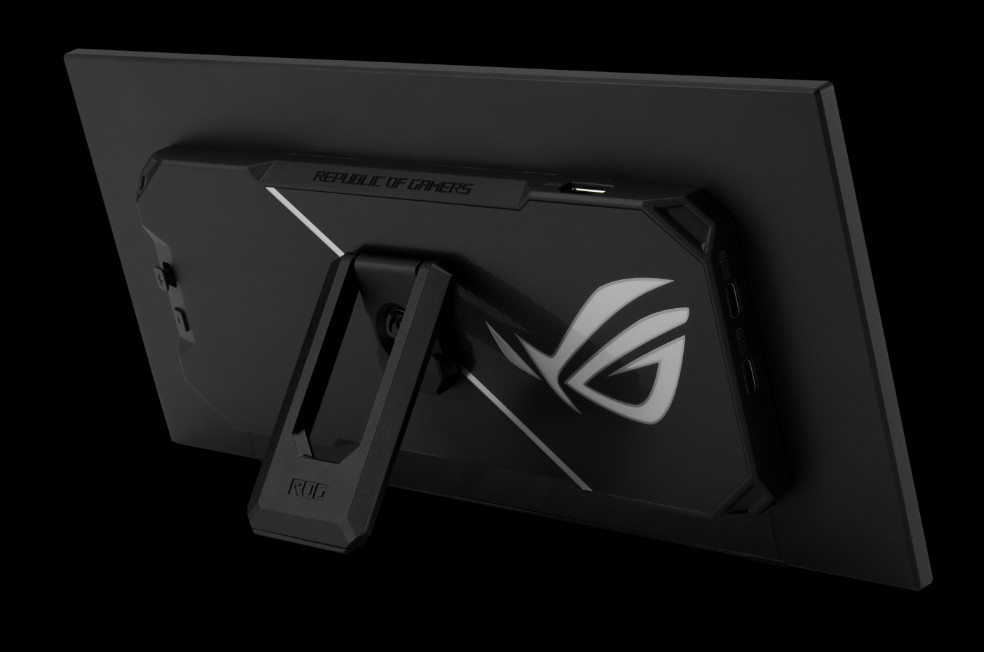
This gadget is very specifically a monitor, not a tablet. It needs a source for its video via either USB-C or HDMI. It’s a bit underwhelming in terms of features, too. Its 1920×720 resolution is less useful than a full-sized monitor and not as nice as Corsair’s very similar Xeneon Edge, which can also be mounted inside a case. (And to be fair, I don’t think that’s very useful either, but at least you have the option.) Asus is making a big deal about how the XG129C is more usable thanks to a taller 24:9 aspect ratio… but at that point, why not just use a regular USB monitor at 16:9? They aren’t hard to find or expensive.
Asus
Despite having the Asus ROG (“Republic of Gamers”) tag, the Strix XG129C isn’t especially notable in terms of gaming features. You get an IPS panel with 75 Hz of refresh, so I guess you could play a game on it (though there isn’t much reason to). You could also toss it in a bag for an extra laptop screen, but again, a standard USB monitor will serve you better for that. Promo shots show an elaborate system display with Asus widgets and “exclusive themes,” but once again, you can do the same thing with less expensive options.
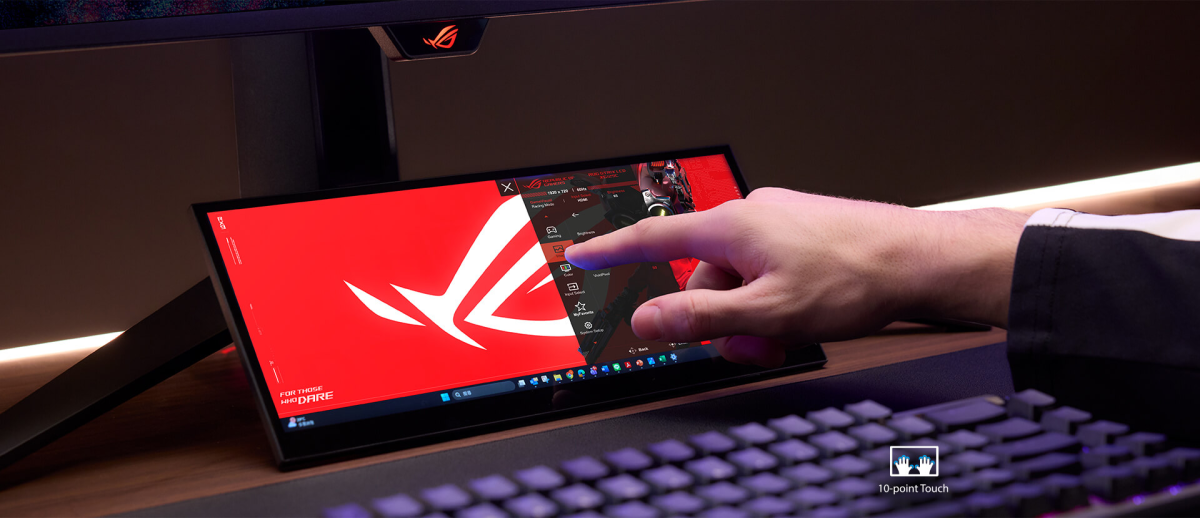
And another promo shot shows the full Windows 11 interface running. This looks painful. Asus says it’s better for watching 16:9 videos… but again, there are plenty of inexpensive 16:9 screens to do that.
Asus
These little mini-monitors have been popping up a lot over the last few years—you can see them all over Amazon. They make sense if you’ve got a small machine for a very specific purpose, such as a Raspberry Pi 500, perhaps managing other stuff like a smart home or server. But I can’t see any reason to buy this. I suppose it’s just as well that Asus isn’t saying when it’s coming to the US or for how much. According to VideoCardz, it’ll cost €240, which would definitely be enough to get you a secondary monitor for a desktop or a nice travel monitor for your laptop.
In fact, you can get one with exactly the same size, connections, and touchscreen for just over $100 right now at Amazon, albeit without the nice stand. (It wouldn’t surprise me if Asus is sourcing the screen from the same supplier.) That ROG sticker really bumps up the price.
