So, you’ve received a suspicious link and would like to check whether the website is dangerous before visiting it. You can do this, for example, with the “URL Void” service from the security provider “No Virus Thanks.” To do this, go to www.urlvoid.com, enter the web address in question, and click on “Scan Website.”
The online service then checks whether the website is on any known blocklists maintained by blacklist providers. It also queries the “Phishing Database” and online reputation sources such as the World of Trust service. In addition, the tool scans the site with well-known antivirus engines such as Antivir and Bitdefender.

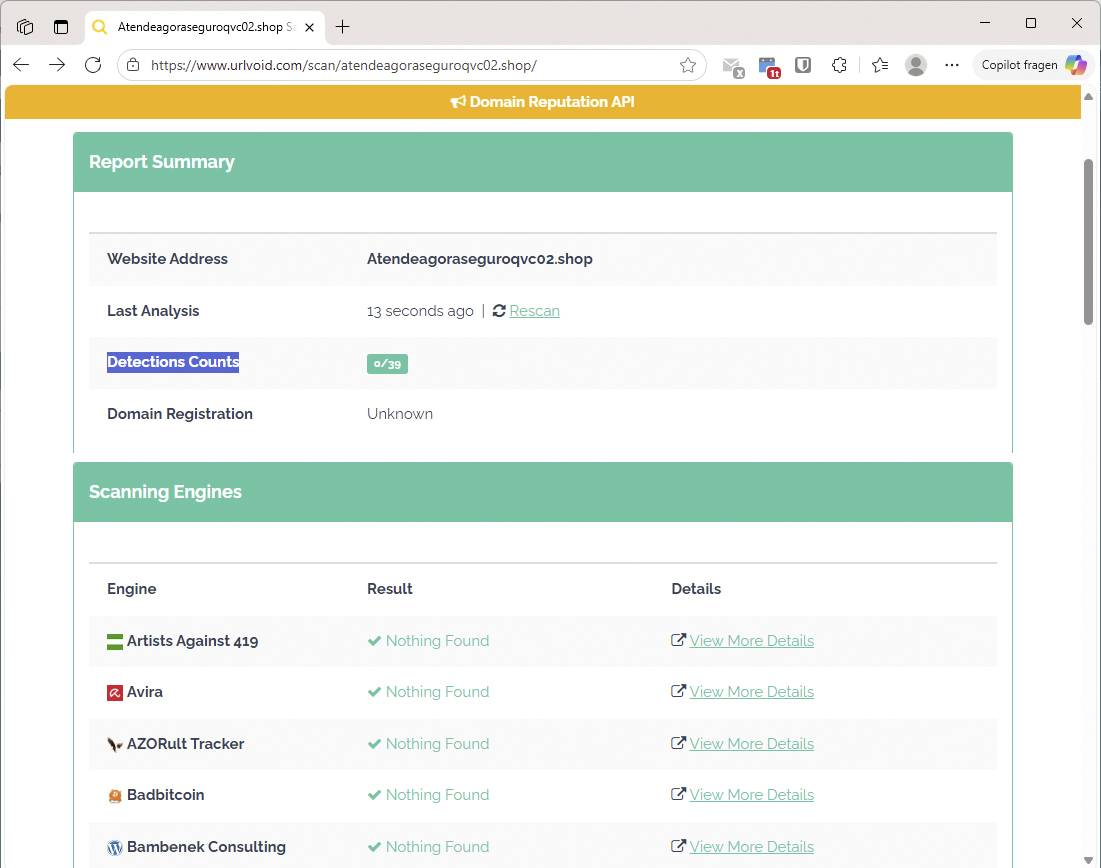
At www.urlvoid.com, you can scan suspicious websites from around 40 blacklist services and reputation sources.
Foundry
The test result consist of approximately 40 individual checks, which are summarized in the “Detection Counts” line. If no issues are found, 0/39 will appear there. If two services report a threat, 2/39 will be displayed. This provides a broad overview of the website’s reputation.
However, some newly created malicious websites may only appear on these services after a delay. This means you cannot rely on the service completely. At the same time, false alarms are possible. If, for example, only two out of 39 services classify a website as dangerous, the site may be very new or the detections could be incorect.