
Windows 11 now shows if your Secure Boot certificates are ready for June
Summary created by Smart Answers AI
Table of Contents
In summary:
- PCWorld explains how Windows 11’s April update now automatically notifies users about Secure Boot certificate status, eliminating manual PowerShell checks.
- Microsoft’s current Secure Boot certificates expire in June 2026, requiring automatic updates to prevent malicious software from loading during startup.
- Users should enable automatic updates and diagnostic data in Settings to ensure their Windows 11 PC receives necessary certificate updates by June.
In the past, Microsoft has repeatedly pointed out that key security certificates in Windows 11 are due to expire as early as June 2026. These are required for Secure Boot, the security feature that prevents malicious software from loading during system startup.
Until now, affected users had to manually search for these certificates and check whether they had already been updated. However, with the April Windows 11 update, Microsoft has introduced a handy notification that tells you straight away if action is required.
Why is Secure Boot so important?
Checking the security certificates required for Secure Boot is important to ensure protection of your PC. When your system starts up, Windows 11 uses a secure mode designed to prevent attackers from injecting malware during this sensitive loading phase.
Since Secure Boot is a prerequisite for using Windows 11, all users of the operating system are affected by these certificates.
Seeing your Secure Boot status
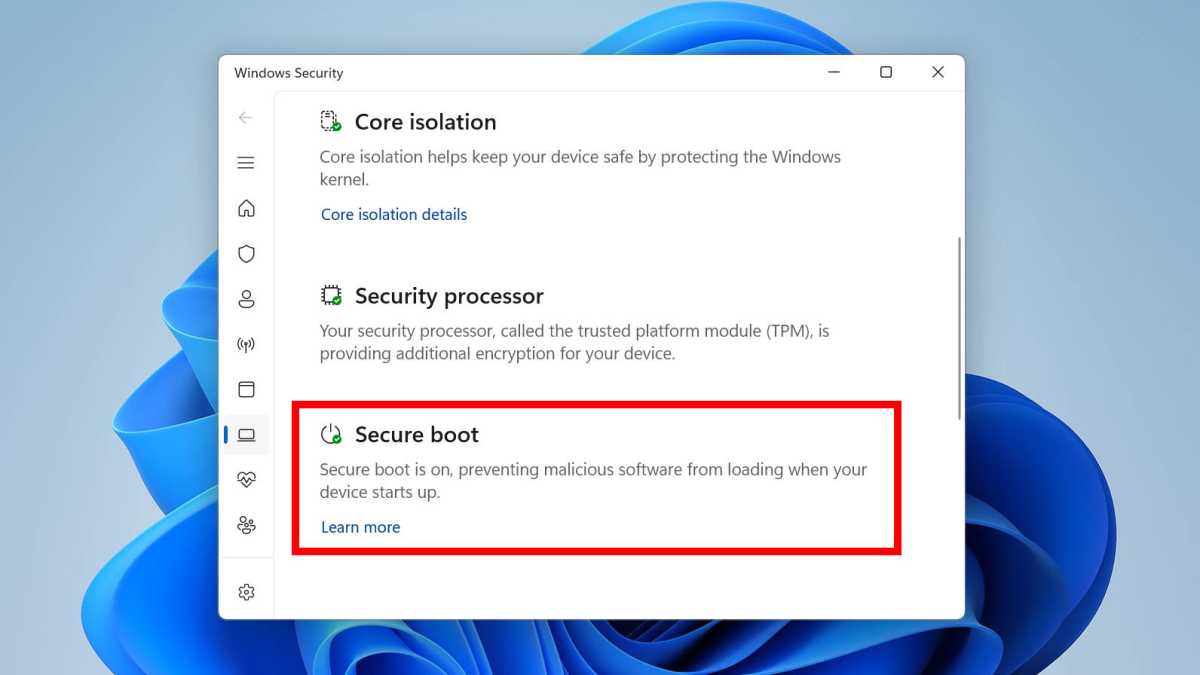
Type “Windows Security” into the Windows search bar and click on it. Then select Device Security and scroll down to Secure Boot. Here you can see the current status of Secure Boot.
In our case, it reads: “Secure Boot is on, preventing malicious software from loading when your device starts up.” This is the ideal status message to see, meaning your PC has all the necessary certificates and can continue to use Secure Boot beyond June.
Joel Lee / Foundry
However, you may see a different message. For example, “Secure Boot is enabled, but your device is using an older boot trust configuration that should be updated.” In this case, your security certificates are still missing and need to be updated soon.
The new status messages are helpful, as you’ll no longer have to search for the certificates manually using PowerShell commands.
Updating your Secure Boot certificates
According to Microsoft, the new Secure Boot certificates will be automatically installed on your PC once you’ve installed enough Windows 11 updates. Make sure automatic updates are enabled on your system. By June at the latest, every Windows 11 PC should have received the necessary certificate updates.
You should also enable the sending of diagnostic data to Microsoft under Settings > Privacy & Security > Diagnostics and Feedback. This allows the system to identify which certificates are present. To our knowledge, there are no other ways to manually speed up the update.
In the future, Microsoft plans to introduce additional notifications warning of faulty Secure Boot or outdated certificates. This could already be in place by the next major Patch Tuesday in May.
By the way: If you’re using Windows 11 Home, you’re missing out on the many benefits of Windows 11 Pro. To learn more, see our comparison of Windows 11 Home and Pro. If you want to upgrade, snag it for cheap in the PCWorld Software Store: now just $59 instead of $99.
This article originally appeared on our sister publication PC-WELT and was translated and localized from German.
