
Windows has a hidden Wi-Fi diagnostic tool. Here’s how to use it
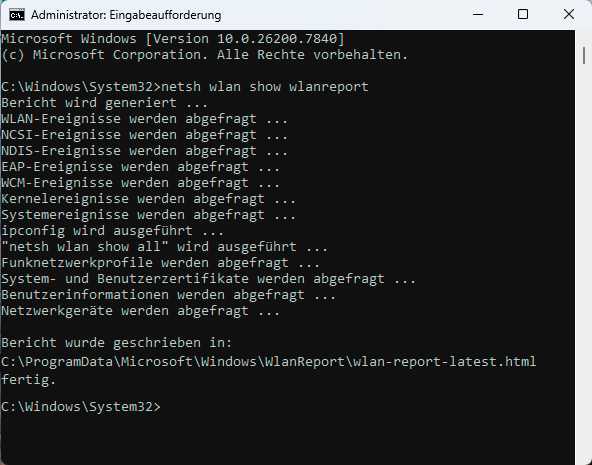
Make sure the correct result is highlighted, then click Run as Administrator on the right-hand side. In Command Prompt, type the command netsh wlan show wlanreport and press Enter. Windows will generate the Wi-Fi report and save it as wlan-report-latest.html in the folder C:\ProgramData\Microsoft\Windows\WlanReport.
Foundry
It’s best to select the path directly in Command Prompt, then copy it to the clipboard using Ctrl+C. Open Windows Search on the taskbar, paste the path using Ctrl+V, and press Enter. Windows will open your default browser and display the HRML report. If that doesn’t work, open the location manually in File Explorer.
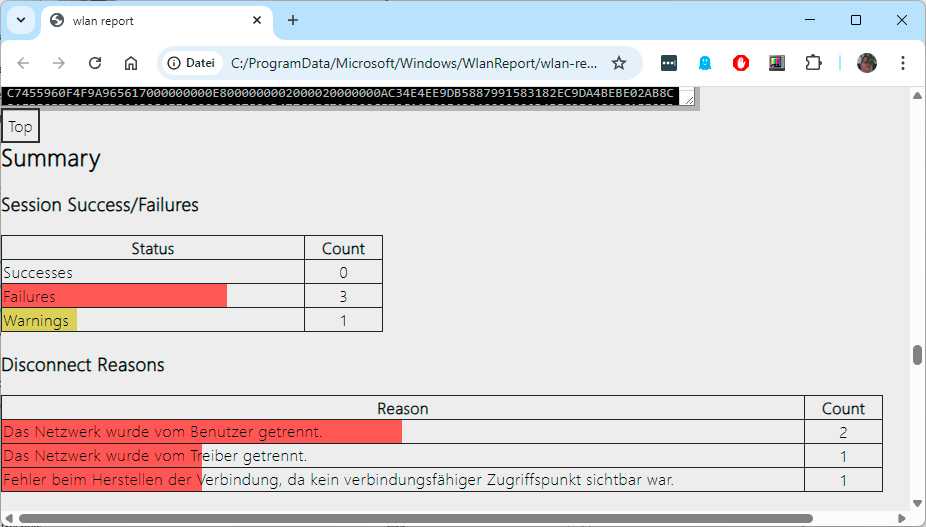
However, the folder is hidden by default, so you’ll need to make it visible in File Explorer’s settings first. Then double-click the HTML file to open it in your browser. At the very top of the report, you’ll see an overview of Wi-Fi events from the last 48 hours. You can hover over individual connections with your mouse to view additional details.
The events are marked with colored dots and letters. For example, a black X on a red background indicates an error, while N indicates that the connection to a Wi-Fi network has been lost. Further down, under Report Info, you’ll find the date the report was generated and the period covered by the report.
Foundry
The General System Info section provides details on the hardware, BIOS, and Windows version. This data can be helpful in the event of compatibility issues. The User Info section contains some basic user data.
The Network Adapters section lists the installed network adapters, including both hardware and software adapters–for example, those used for VPN connections, Bluetooth, or virtual adapters. Under Script Output, you’ll find the results from various Windows troubleshooting tools.
