Summary created by Smart Answers AI
In summary:
- PCWorld reports on Microsoft’s Auto SR, an AI-enhanced upscaling technology that provides significant performance boosts for gaming handhelds like the Asus ROG Xbox Ally X.
- Early testing demonstrates impressive results, with Auto SR delivering up to 50% framerate improvements in games like Borderlands 3 by leveraging integrated NPU chips.
- Currently available through Windows Insider builds with 11 supported games, this OS-level tool represents Microsoft’s answer to Nvidia DLSS and AMD FSR for low-power gaming systems.
The Asus ROG Xbox Ally is more powerful than the aging Steam Deck, even if you go for the cheaper, non-X variant. But it’s still based on an AMD laptop chip with integrated graphics. Squeezing performance out of these low-power systems is a constant struggle for developers and gamers alike. Microsoft is trying to help with Auto SR, an OS-level tool built into Windows itself.
We’ve heard about Automatic Super Resolution, Microsoft’s alternative to DLSS from Nvidia and FSR from AMD (apologies for the alphabet soup) for the last couple of years. It’s a tuned and, allegedly, AI-enhanced version of resolution upscaling. But as it’s baked in at the OS level, Microsoft claims that it can automatically boost performance for games by leaning on “larger models and the NPU to create stunning visuals.“
Resolution tricks could, indeed, be a big boon to handheld hardware, and the Ryzen Z2 Extreme chip in the ROG Xbox Ally X does feature an integrated NPU. (Notably, the base model Xbox Ally with a Ryzen Z2 does not.) Auto SR is already enabled by default on Copilot+ PCs with Snapdragon X processors, which are nowhere near as good at running most games as AMD handhelds.
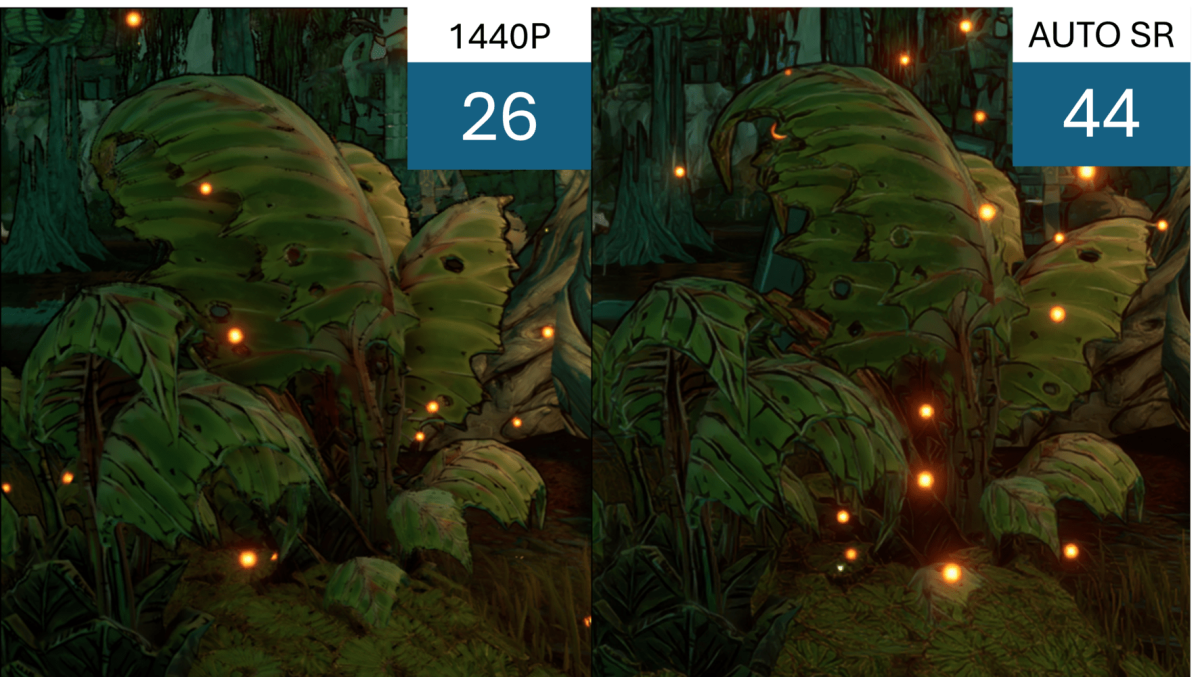
The early Auto SR test is available via Windows Insider builds, but it’s only explicitly supported for 11 games at launch… which it doesn’t list. Borderlands 3 and Control are given as examples, with 720p upscaled Auto SR showing about a 50 percent boost in framerates versus running the game natively at 1440p.

Microsoft
Users can try enabling Auto SR manually in other games, though Microsoft’s support page notes that 720p is the ideal resolution with a 900p maximum, and games need to use DirectX 10 or later in order to work. It seems a little clunky, to be perfectly honest, and only showing performance gains in Borderlands 3 (a game from seven years ago) is less than inspiring. But even so, I’m sure there are plenty of gamers on the Xbox Ally X who’ll be happy for the option to boost their performance.
I think they might be even happier to try Bazzite or SteamOS, since that’s been shown to boost performance even with the headache of a new operating system.